If Discord keeps asking you to confirm your age but the face scan fails every time, the window shows no available method, or k-ID only offers the ID scan, you’re far from the only one. Since Discord started sorting accounts into age groups in September 2026, plenty of adults have ended up stuck as “Teen” or “Unconfirmed”. This guide will show you why it happens and what you can do to get your age confirmed.
Also see: Discord Won’t Connect to Voice Channel (Fix)
Page Contents
Why does Discord’s age verification fail?
Since September 22, 2026, Discord puts every account into one of three age groups: Adult, Teen or Unconfirmed. Most accounts are placed automatically from things like how long the account has existed and the servers it’s in. According to Discord, your messages and calls aren’t looked at for this.
If you end up as Teen or Unconfirmed, you can still chat, call and use normal servers. But age-restricted servers, channels and some settings stay locked until you confirm you’re an adult. The check itself is run by k-ID, the company Discord uses for age assurance. Some common reasons it doesn’t go through are:
- The methods depend on your region and device. The Apple and Google age range options only show up on those phones, Google Wallet needs a passport from one of a few countries, and the card check isn’t offered everywhere. So the list you see can be short, or even empty.
- The face scan guessed your age wrong. It estimates your age from a short video selfie, and it does put some adults in a younger group, sometimes even under 13.
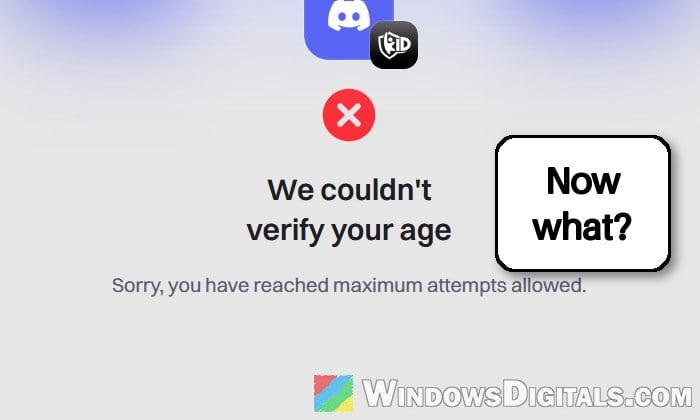
- Too many failed tries. The number of attempts is limited, and once you hit it, k-ID shows “We couldn’t verify your age” with “Sorry, you have reached maximum attempts allowed.” Some people then find the face scan and the ID scan no longer offered.
- A problem on Discord’s or k-ID’s side. The age check has had outages of its own, and on September 23, 2026 some accounts showed a different age group on different devices.
Check your age group, then restart Discord
Before trying again, check what Discord actually has on your account. Many accounts are already in the Adult group without doing anything, and the rollout took several days to reach every account. When the age group showed wrongly on some devices on September 23, Discord’s fix was simply to close and reopen the app, so it’s worth doing that first.
Here’s how to check it on Windows 11 or 10:
- Open Discord and click the gear icon (User Settings) next to your name at the bottom left.
- Select Account Status.
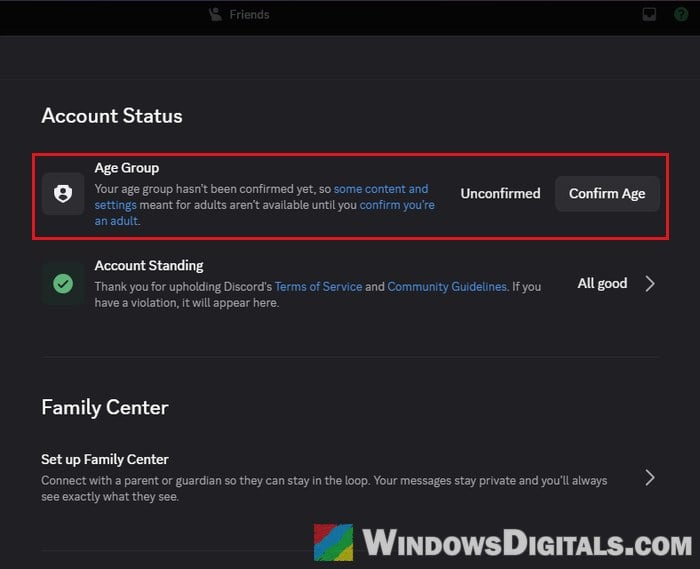
- Look at your Age Group. If it says Adult, you’re all set and there’s nothing to confirm.
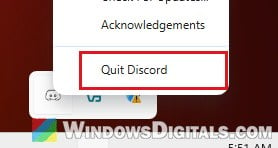
- If it doesn’t, quit Discord completely. Right-click the Discord icon in the system tray (bottom right of the taskbar) and select Quit Discord.
- Open Discord again and go back to Account Status to see if the age group has changed.
On a phone, update the Discord app before you check, since Account Status there needs version 343.0 or later.
Retry with a different method
If one method keeps failing, there’s no point repeating it. Discord lets you retry with the same method or pick a different one, and another method may work when the face scan doesn’t. Depending on your region and device, you may see:
- Credit Card: k-ID makes a small temporary charge of under $0.50, refunded within 14 days. Neither Discord nor k-ID sees your card details.
- AgeKey: a reusable age credential saved on your device as a passkey.
- Apple App Store or Google Play age range, shared from your phone.
- Google Wallet, using a passport.
- Video Selfie (the face scan) or ID Scan with a selfie.
To try another method, follow the steps below:
- Go to User Settings > Account Status.
- Click Retry (or Confirm Age if you haven’t tried yet) to see the methods you can use.
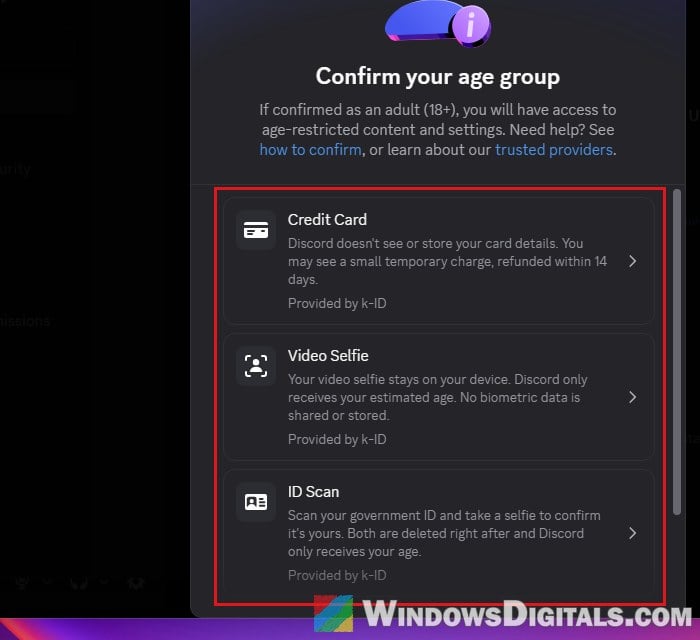
- Choose a different method than the one that failed, and follow the instructions on the screen.
Once it goes through, Account Status should show Adult.
Some users on Reddit who failed the selfie and the ID scan many times got through by creating an AgeKey instead, though it didn’t work for everyone. If your card gets declined, see the guide linked below.
Linked issue: Unable to confirm payment method: Discord declines cards
Help the face scan get a good look at you
If you stick with the face scan, k-ID’s own help pages suggest the following:
- Do it in a reasonably well-lit room, without strong glare or filters on your face.
- Look straight at the camera and don’t tilt the phone or webcam. Take off glasses, a hat or a mask if you can.
- Make sure yours is the only face in the frame. Another person, a photo of someone, or a mirror or TV screen behind you can make the check fail.
- If it freezes on an instruction (open your mouth, tilt your head), leave the camera view, wait for new instructions and do them slowly.
- Use a stable connection, and if it keeps erroring out, try another device or browser. On a PC, the face scan and ID scan show a QR code so you can carry on with your phone, whose camera is usually much better than a laptop webcam.
If the face scan on your PC can’t see you at all, Windows may be blocking the camera for desktop apps like Discord. You can also test your camera on its own to rule out the webcam itself. Here’s how to check the camera permissions:
- Press Win + I to open Settings.
- Go to Privacy & security > Camera.
- Make sure Camera access, Let apps access your camera and Let desktop apps access your camera are all turned on.
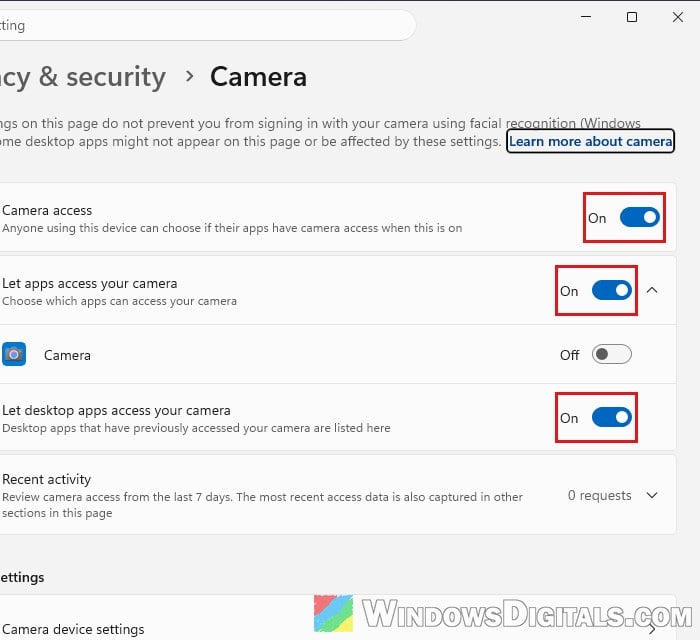
- Quit and reopen Discord, then try the face scan again.
Related problem: Camera Error 0xA00F4244 “NoCamerasAreAttached” in Windows 11
No method available? Check Discord’s status and try later
If the confirm window shows no method at all, it may simply be your region or device. Discord says that a method you don’t see now may become available later. It can also be an outage, so check Discord’s status page at https://discordstatus.com for anything about age verification or age groups.
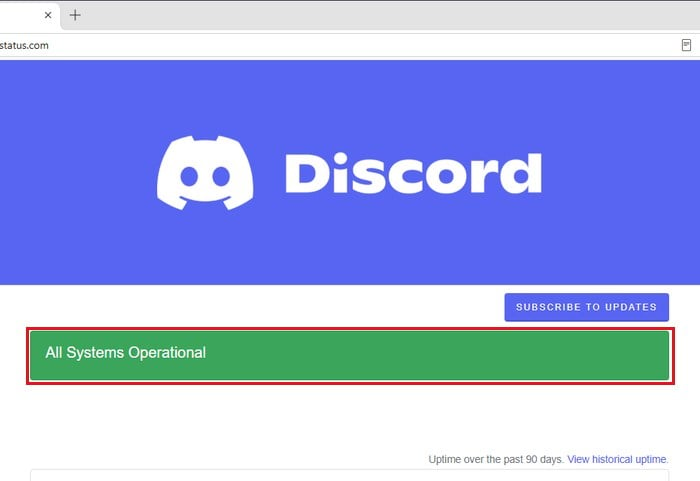
While you wait, an Unconfirmed account still works for messages, calls and normal servers. The age-restricted parts stay locked.
Contact k-ID support
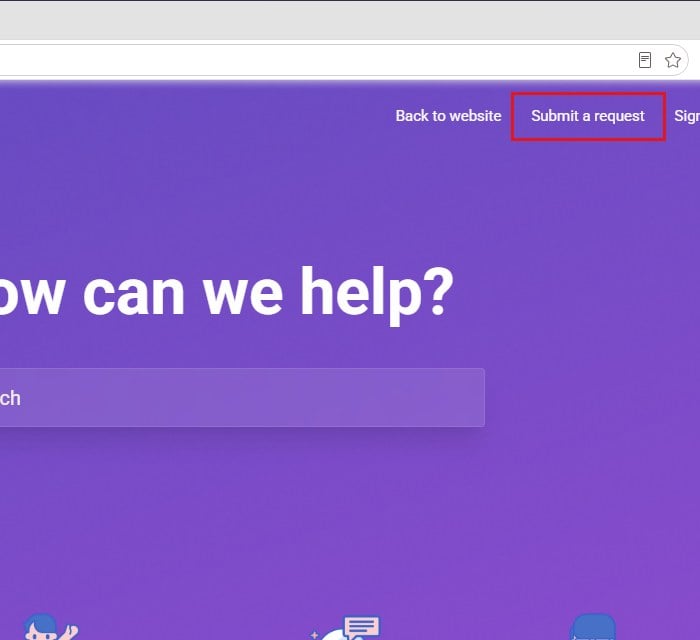
Since k-ID runs the face scan, the ID scan and the card check, problems with those methods are handled by k-ID’s support, not Discord’s. Discord’s own support usually points you there anyway. Their help center is at https://k-id.zendesk.com, where you can Submit a request, or you can email [email protected]. Attach a screenshot of the error, or a short video under 30 seconds, so they can see what’s going wrong.
Please note that Discord never asks you to confirm your age by email or text message. The check only happens inside the Discord app, so ignore any email or text asking you to verify through a link.
What if Discord disabled your account after the face scan?
If the face scan put you under 13 (or under the minimum age in your country), Discord disables the account. According to Discord, you appeal inside the app by verifying your date of birth with the ID scan, so start there rather than with a support ticket. Discord’s help article for people who are old enough but got locked out is at https://support.discord.com/hc/en-us/articles/360041820932.