How to Check DirectX Version in Windows 11
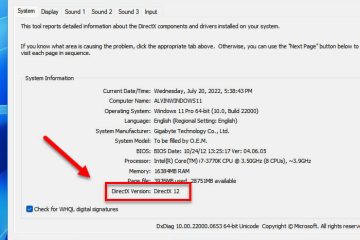
DirectX, developed by Microsoft, is a set of application programming interfaces (API) for handling multimedia tasks such as video games. It allows games and software to work with the components [...]
Fixes and how-to guides for Windows 11, covering error messages, blue screens, updates, settings, apps and drivers, explained step by step.
DirectX, developed by Microsoft, is a set of application programming interfaces (API) for handling multimedia tasks such as video games. It allows games and software to work with the components [...]
The ability to freely access any website on the Internet is a concern to many, particularly those with children in their care. One of the major reasons is the availability of adult websites and [...]
If the printscreen key (PrtScn or PrtSc) on your keyboard is broken or if there is simply no printscreen button on your keyboard, you can use other keyboard shortcuts or screenshot apps to take [...]
In Windows 11, when we want to take a screenshot of the screen, we would usualy use the Windows + PrtScn (Print Screen) keys to quickly capture the screen and have Windows automatically save it [...]
A VOB file, also known as Video Object file, is a file format commonly used for DVD video media. In technical terms, VOB is based on MPEG program stream format. It contains contents such as the [...]
If you have more than one monitor connected to your computer, you can choose one of the few modes available on Windows 11 – Extend, Duplicate, Show only certain monitor, etc. To display [...]
This guide explains how to split the sound of 2 or more apps between different audio output devices such as speakers and headphones on Windows 11. For example, you can set Windows to use [...]
In Windows 11, if you have more than one sound output devices such as speakers and headphones, in most cases, you can have only one output device playing audio from an app or window at a time. [...]
Windows crashing is not uncommon even in the latest Windows 11. Operating system can sometimes go wrong as we use it and install stuffs on it. Other than the more serious blue screen of death, [...]
Multiple monitors setup doesn’t only look great but also boosts productivity as things can be done much more efficiently. In Windows 11, you are allowed to connect (extend) any number of [...]