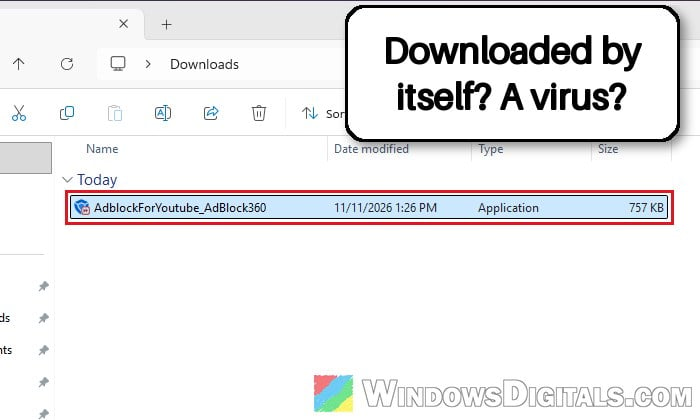
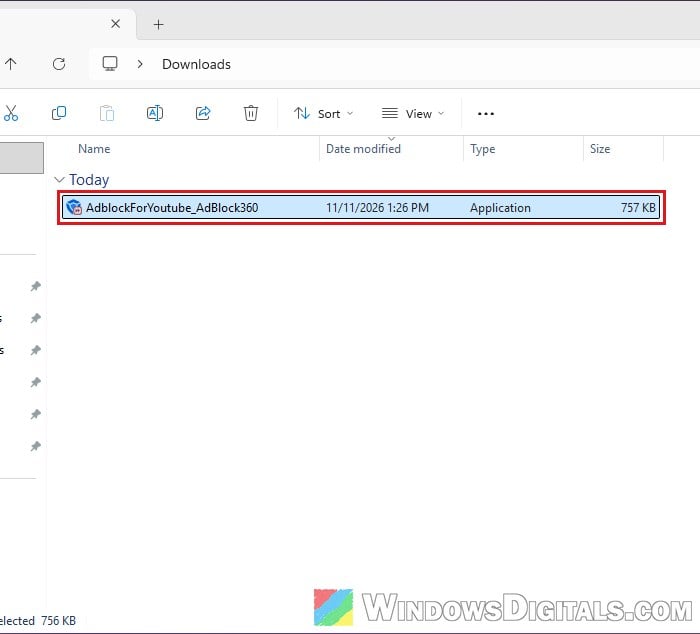
An ad blocker extension in Chrome normally does all its work inside the browser, so it’s a bit alarming when Chrome opens a page by itself and a file called AdblockForYoutube_AdBlock360.exe lands in your Downloads folder without you clicking anything. It’s the installer of a desktop ad blocker called AdBlock360, pushed by the Adblock for Youtube™ extension. This guide explains what the file is, whether it’s a virus, and what you should do about it.
Also see: Is “AdBlock Next” Popup and Extension Safe or a Virus?
What is AdblockForYoutube_AdBlock360.exe?
The file is a setup program for AdBlock360, a Windows desktop app that blocks ads across your whole PC instead of inside one browser. It’s made by AdBlock Ltd, a company based in Malta, which also makes Adblock for Youtube™, a Chrome extension with around 11 million users. AdBlock360’s own website even says it’s from the same team behind that extension.
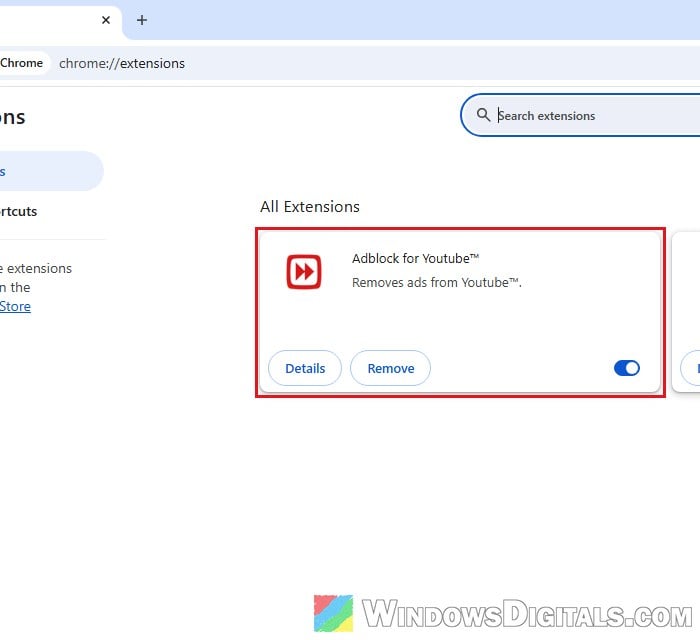
As the name of the file suggests, it’s the extension’s way of offering you the desktop version. Once installed, AdBlock360 works differently from a normal browser extension:
- It runs as a background service (“AdBlock360 Service”) with administrator rights and starts with Windows, so it can filter traffic for every browser and some desktop apps.
- Newer versions use a network filtering driver in Windows, while older ones set up a local proxy.
- If you accept it during setup, it adds its own security certificate (“AdBlock360 Personal CA”) to Windows so it can see and filter ads on HTTPS websites.
- The free version has a “Respectful Ads” program on by default (you can turn it off in its settings). The paid Premium version doesn’t.
Linked issue: Chrome Keeps Redirecting to Yahoo Search Through smartingly.com
How did it get on your PC?
If you have the Adblock for Youtube™ extension installed (even if you added it a long time ago), it can sometimes open its own page when Chrome starts, usually to show how many ads it has blocked. In some cases, that page starts downloading AdblockForYoutube_AdBlock360.exe right away, without asking. That’s why the file seems to come out of nowhere. Some people have also seen the AdBlock360 website open in Chrome on its own, most likely for the same reason.
The extension promotes its desktop app in other places too. Right after you add it to Chrome, it opens a “Keep YouTube ad-free. And your entire PC with it.” page with a “Get Adblock for Youtube Desktop – It’s Free” button, and that button saves the same file to your Downloads folder with no save prompt.
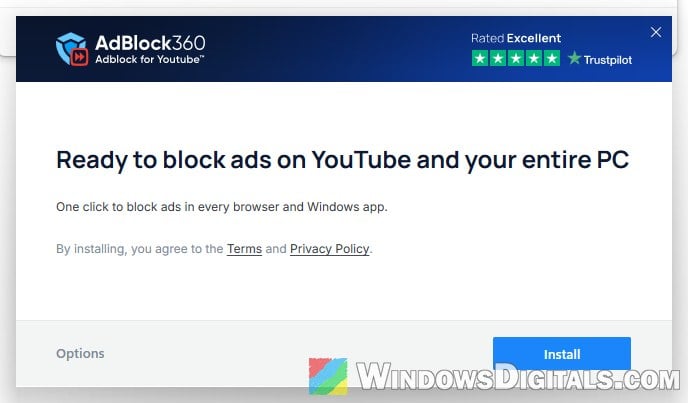
If you open the file, it shows an “AdBlock360 Setup” window that offers to block ads on YouTube and your entire PC. Nothing is installed until you click Install there.
Don’t confuse it with a different Chrome extension called “AdBlock 360” (with a space). According to AdBlock360’s makers, that one was an unrelated, fake ad blocker that Google removed from the Chrome Web Store, and several removal guides online describe an adware extension by that name.
Might be useful: How to Allow or Block Multiple Downloads in Chrome
Is AdBlock360 a virus?
No, AdBlock360 itself is not a virus. It’s a commercial ad blocker from a real company, the file carries a valid digital signature from AdBlock Ltd, and scans with Microsoft Defender and Malwarebytes haven’t flagged it on PCs where it turned up.
Still, there are a few reasons not to just leave it there:
- It showed up without you asking for it. Most people would call an installer that downloads itself unwanted, even if the app is legitimate.
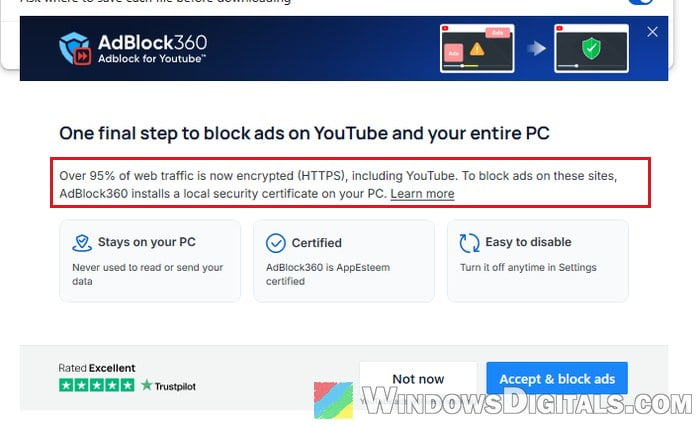
- It can see all your web traffic. During setup, it asks to install “a local security certificate on your PC”. A system-wide filter with its own certificate can read your HTTPS traffic on your PC. That’s how it blocks ads, but it’s a lot of trust to give an app you didn’t choose.
- Security researchers have flagged the extension behind it. In June 2026, researchers at Island looked into Adblock for Youtube™ and found that it downloads its settings from a remote server every day, and those settings can inject scripts into web pages. They didn’t find it doing anything harmful to real users, but they showed it could be used that way.
Related guide: How to Scan an .exe File for Viruses to Check If It’s Safe
What should you do with it?
It depends on whether you ran the file or not. Simply downloading an .exe doesn’t install anything, so if you never opened it, there’s very little to worry about.
If you didn’t run it, just delete it
Open your Downloads folder (or wherever Chrome saves files), select AdblockForYoutube_AdBlock360 (it may show without “.exe”) and press the Delete key. That’s all you need to do for the file itself. There’s no need to reset or reinstall Windows over an installer you never opened.
Remove the extension so it doesn’t come back
If you don’t want the pop-up pages or surprise downloads anymore, remove the extension that’s causing them. Here’s how to do it in Chrome:
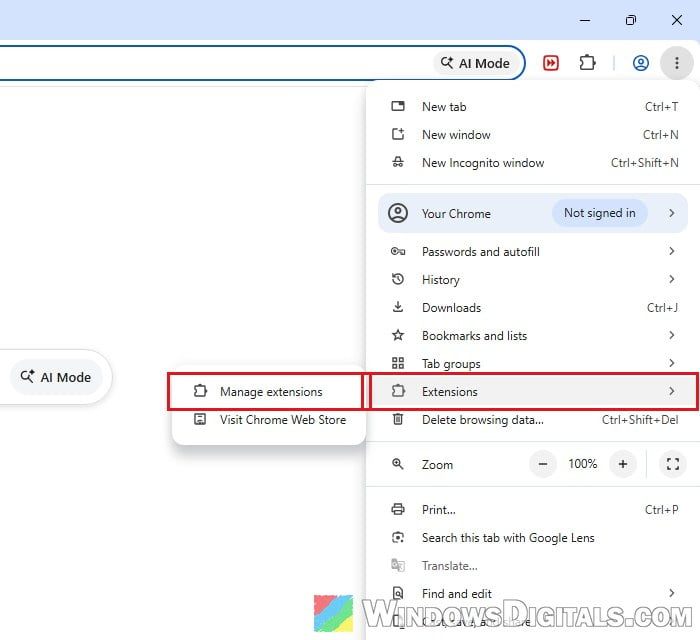
- Click the three dots menu at the top-right corner of Chrome, then go to Extensions > Manage extensions.
- Find Adblock for Youtube™ and click Remove.
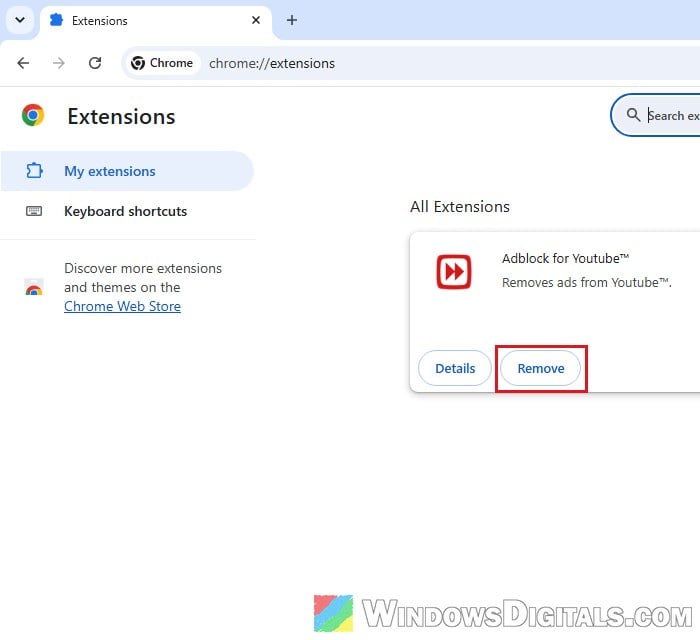
- Click Remove again to confirm.
- Chrome then opens the extension’s uninstall page, which offers the desktop app one more time. Just close that tab.
If you still want to block ads on YouTube, uBlock Origin Lite on Chrome or uBlock Origin on Firefox are the ones people on Reddit and tech forums usually suggest instead.
If you installed AdBlock360 and don’t want it, uninstall it
If you did open the file and went through the setup, AdBlock360 is now installed as a normal Windows app. You can remove it like any other program:
- Press Win + I to open Settings, then go to Apps > Installed apps.
- Search for “AdBlock360“, click the three dots next to it and select Uninstall.
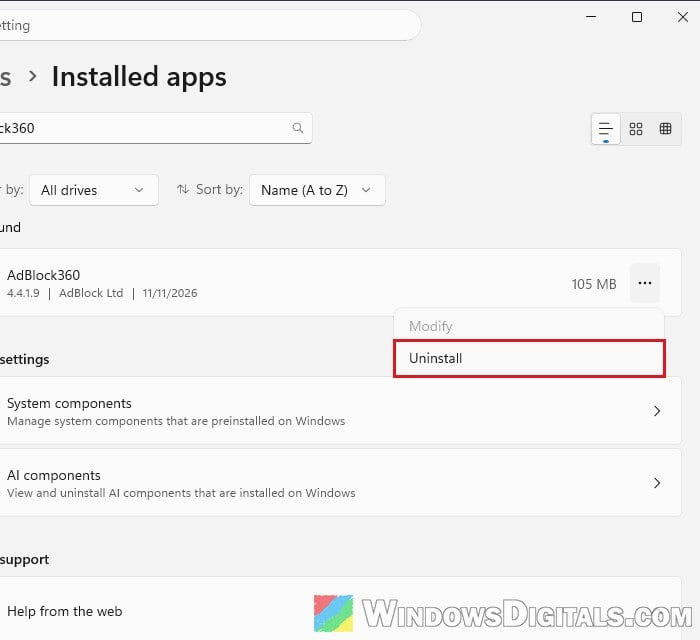
- Click Uninstall again to confirm, then click Yes on the User Account Control prompt.
- Once it’s done, it may open a web page in your browser. You can close it.
In our test on Windows 11, the uninstaller removed its service and certificate too, but it’s worth a quick check:
- Press Win + R, type
certmgr.mscand press Enter. - Open Trusted Root Certification Authorities > Certificates.
- Look for “AdBlock360 Personal CA” in the list (here’s how it looks while AdBlock360 is installed).
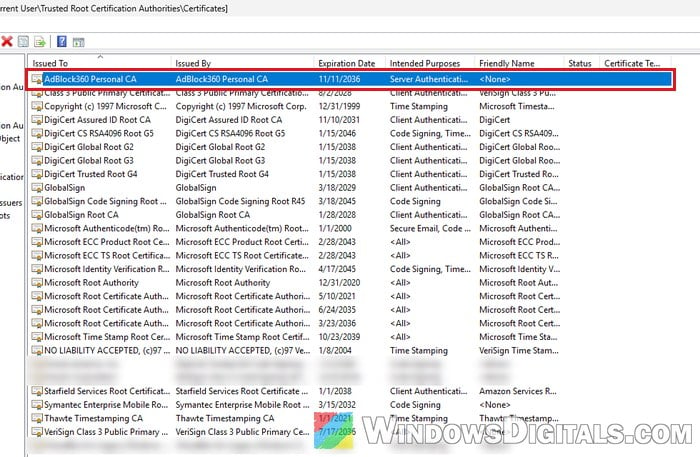
If it’s still there and AdBlock360 still shows in Installed apps, run the uninstall once more.
Suggested read: What is Loom.exe, Is it Malware, and How to Uninstall it?
Run a scan for peace of mind
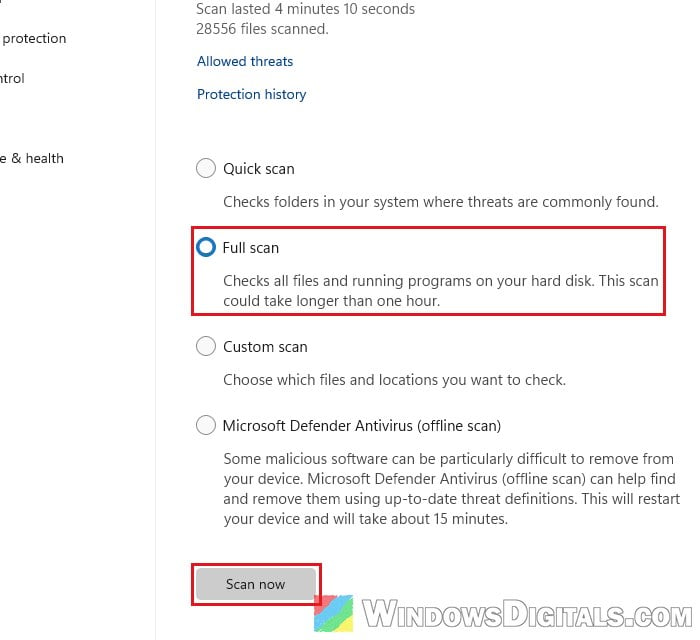
Whether you ran the file or not, a full scan doesn’t hurt. Open Windows Security, go to Virus & threat protection > Scan options, choose Full scan and click Scan now. It can take an hour or more. If you have Malwarebytes, you can run a scan with it as well.
Make Chrome ask before it saves a download
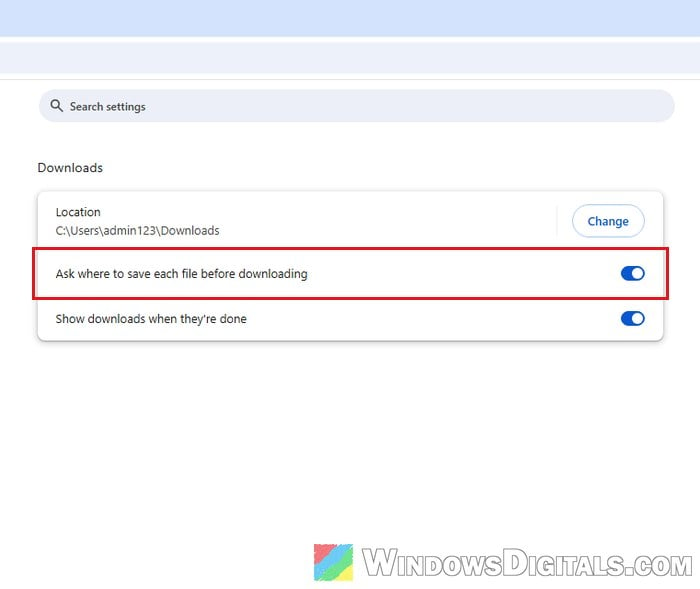
To make surprise downloads easier to notice, you can have Chrome ask where to save every download. Open Chrome’s Settings, go to Downloads and turn on “Ask where to save each file before downloading“. With it on, a page can’t quietly drop a file in your Downloads folder without you seeing a save window first.