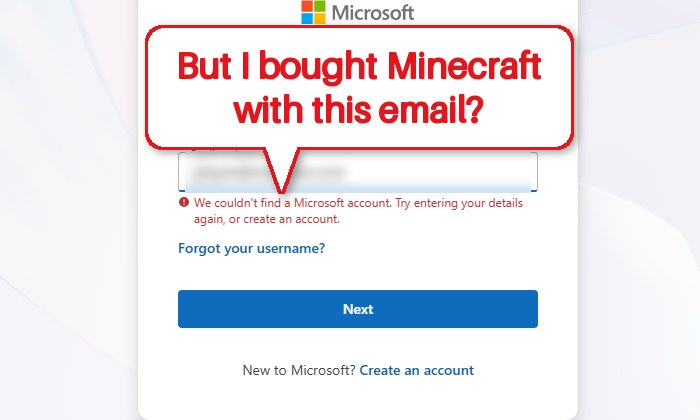
If you can’t get into Minecraft anymore because the Microsoft account you played on was closed, deleted or taken over by someone else, or signing in now says “We couldn’t find a Microsoft account“, this guide explains what happens to your Minecraft purchase, how much time you might still have, and what you can actually do about it.
Also see: How to Update Minecraft Windows 10/11 or Bedrock Edition
Page Contents
Is Minecraft gone if the Microsoft account is deleted?
Not necessarily. It depends on whether the account can still be brought back. Your Minecraft purchase belongs to the Microsoft account it was bought or migrated on. If you can reopen or recover that account, Minecraft comes back with it.
If the account has been permanently deleted and can’t be recovered, the bad news is that the game license goes with it. Licenses are tied to the account and can’t be transferred to a new one, so the only sure way to play again is to buy the game on another account. Before you do that, go through the options below, because a “deleted” account may only be closed for now.
Why was your Microsoft account closed or deleted?
What you can do depends on why it happened. These are the usual reasons:
- It was closed on purpose, by you or someone with access to it. A closed account isn’t deleted right away. Microsoft waits 30 or 60 days (whichever was picked when closing it) and only then deletes the account with its data and content.
- Someone took it over. In one of the recent cases, the player typed a Microsoft verification code into a fake Minecraft-related website. The attacker then changed the account’s email and got rid of the account.
- The email address was removed from the account, so signing in with that address no longer finds it, even though the account itself may still exist. The next section can help with that.
- It wasn’t used for a long time. Microsoft can close accounts that haven’t been signed in to for two years. However, Microsoft’s activity policy says an account that was used to buy a current Microsoft product stays active, so an account that owns Minecraft shouldn’t be closed for inactivity alone.
Related concern: “Windows locked due to unusual activity” Scam
Make sure it’s the right account first
Some players, especially those who moved an old Mojang account to Microsoft years ago, don’t remember which email the game ended up on, and the “couldn’t find” message can simply mean you’re trying the wrong address. Here’s how you can find out:
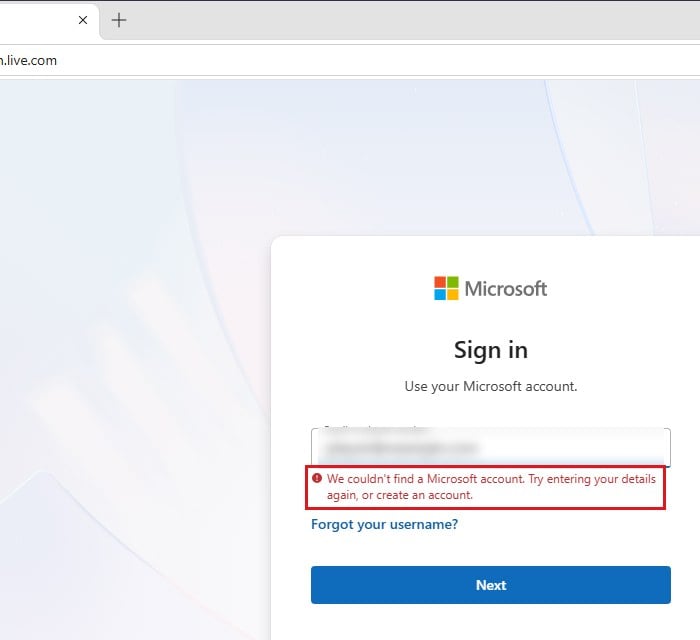
- Try each address on the Microsoft sign-in page. If it asks for a password, there’s a Microsoft account behind that address. If it says “We couldn’t find a Microsoft account“, there isn’t one (anymore).
- Search your old emails (including spam and archive) for messages from Microsoft, Xbox or Minecraft around the time you bought or migrated the game.
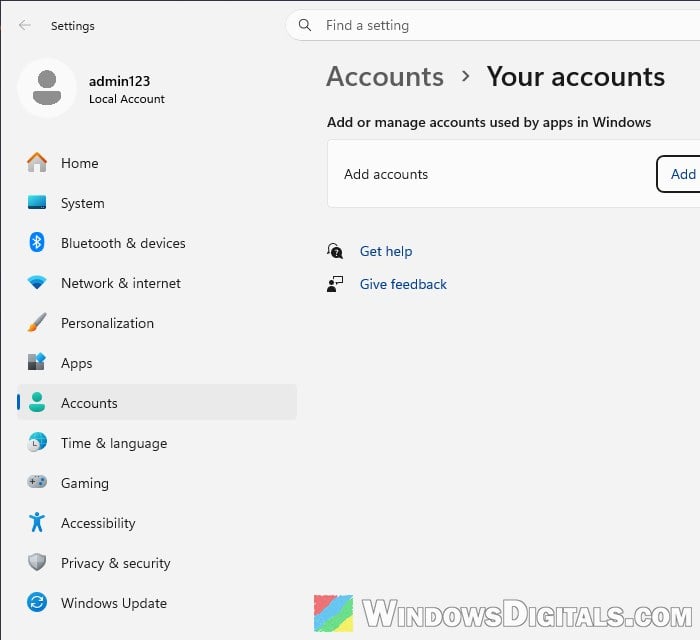
- Check a PC that’s still signed in. On a PC where the Minecraft launcher still works, the account may be listed in Settings > Accounts > Your accounts (Email & accounts on older versions), under “Add or manage accounts used by apps in Windows“. The profile picture in the Microsoft Store or Xbox app shows which account is signed in there too. Don’t sign out of anything on that PC while you’re checking.
Might be useful: “Microsoft Account Problem” Notification in Windows 10/11
Reopen the account if it was closed recently
If the account was closed less than 30 or 60 days ago, you can still reopen it. Your profile, Xbox gamertag, Gamerscore and purchased content come back with it, Minecraft included. Here’s how to do it:
- Go to
https://account.microsoft.comand sign in with the account’s email and password. - When asked, get a security code and enter it. The account is reopened once the code is accepted.
Then open the Minecraft Launcher, sign in with that account and check that the game is there. Subscriptions are a partial exception: you don’t get back the time that passed while the account was closed, and a subscription you cancelled has to be bought again. If the 30 or 60 days are already over, the account can’t be reopened anymore.
Use the recovery form if someone took over your account
If a hacker changed the password, email or security info, the account recovery form is what you need. Microsoft’s support agents can’t send you a reset link or change account details for you, so the form is pretty much the only way back in. Please note that the form itself says it can’t recover an account that had two-step verification turned on.
Here’s what you should do:
- On a PC you’ve used with that account before (at home, if you can), open the recovery form at
https://account.live.com/acsr.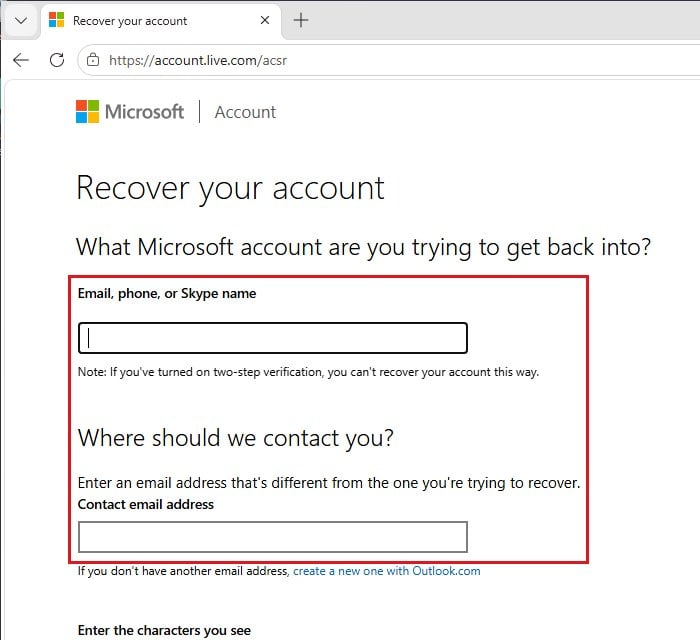
- Under “Email, phone, or Skype name“, enter the account you want back. Under “Contact email address“, enter a different address you can check right now for Microsoft’s reply. It can be any working address, even a friend’s or a new Outlook.com one.
- Type the characters shown in the picture, click Next, and fill in the rest of the form as accurately as you can.
- Watch that contact address, including the junk folder. Microsoft usually replies within 24 hours.
If it doesn’t work, you can try again, up to two times per day. Once you’re back in, change the password and look through the account’s recent activity.
Can Minecraft Support move the game to a new account?
It’s worth asking, but don’t count on it. A license normally can’t be moved between Microsoft accounts, so it’s up to support whether they can help in your case. If you still have the purchase confirmation email, contact Minecraft Support through https://help.minecraft.net and give them the order number, the purchase details, your old Minecraft username and what happened to the account.
If nothing works, buying Minecraft again is the last option.
How to avoid losing it again
The player in the phishing case above lost the account through a stolen verification code, so never type a Microsoft verification code on a website you didn’t open yourself to sign in to Microsoft, no matter how official a Minecraft-related page looks. Also keep a recovery email and phone number on the account that you actually still use, since that’s where Microsoft sends the code when you need to get back in.