Microsoft Edge

Microsoft Edge fixes and tips for sync that gets stuck, extensions added by your organization, Google sites not loading and Read Aloud.

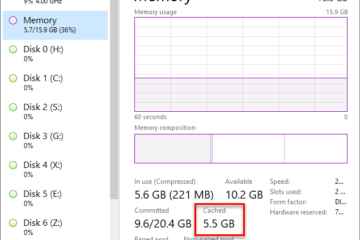
How to Clear Cache Memory on Windows 10
Laptop

Clear Cache (Memory, Browsers, Temp Files) in Windows 11/10

A cache is a collection of files or data stored on your computer so that future requests of the same files or data can be served much faster. Clearing cache on Windows 11 or Windows 10 can [...]
By Nyau Wai Hoe, ago
Chrome Firefox keeps opening new tabs virus when click link
Browser

Chrome or Firefox keeps opening new tabs on its own, virus?

If your browser, like Chrome, Firefox, or Edge, keeps popping up new tabs with ads for things you didn’t look for, your computer might have caught a virus or adware. This guide will show [...]

By Nyau Wai Hoe, ago
Microsoft Edge Not Playing YouTube Videos in Windows 10
Microsoft Edge

Microsoft Edge Not Playing YouTube Videos

If you’re having a hard time playing YouTube videos on Microsoft Edge in Windows 10 or Windows 11, like running into sound problems, videos not loading, or just seeing a black or blank [...]

By Nyau Wai Hoe, ago
How to Enable JavaScript in Microsoft Edge Windows 10
Microsoft Edge

How to Enable JavaScript in Edge on Windows 10/11

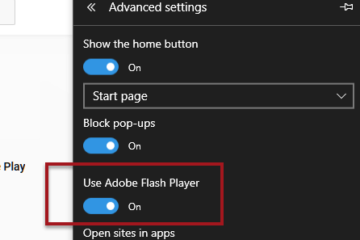
If some videos or media objects on a webpage don’t actually show up or play correctly in Microsoft Edge, it may be because JavaScript has been turned off. Most websites use JavaScript for [...]

By Nyau Wai Hoe, ago
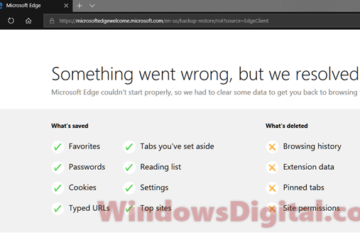
Microsoft Edge Something went wrong but we resolved it
Microsoft Edge

Microsoft Edge “Something went wrong, but we resolved it”

Have you ever gotten the annoying “Something went wrong, but we resolved it” error message when you try to open Microsoft Edge? It tells you Edge didn’t start correctly and had [...]

By Nyau Wai Hoe, ago