If you’ve opened the “Users” tab in Task Manager and found an email address you’ve never seen before, with everything on your PC running under it, your first thought is probably that someone else is using your PC. This guide will explain what that entry is, how to check which account your PC really uses, and what to do about it (steps and screenshots are from Windows 11).
Also see: Unknown Program in Task Manager Startup Tab Windows 11/10
Page Contents
What does the email in the Users tab actually mean?
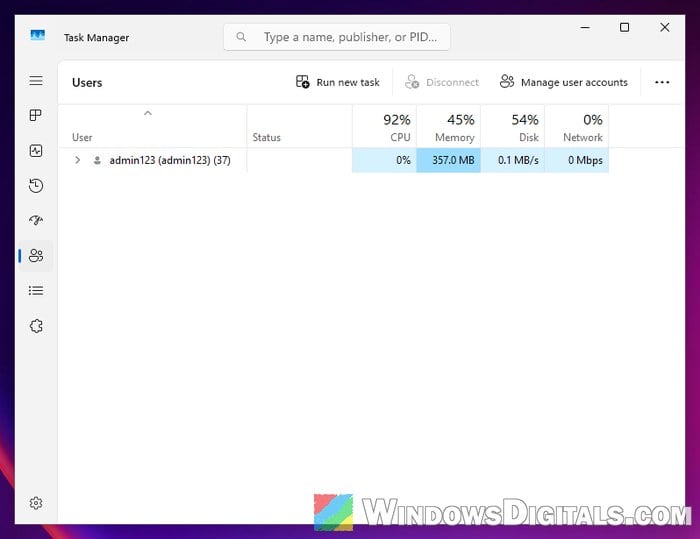
In most cases, it’s simply the account you’re signed in with. The Users tab lists every account that’s currently signed in on the PC, with the apps and processes of each account grouped under it. So if your browser, File Explorer and all your other apps are listed under that email address, that row is you: the account your own Windows session runs under.
In Windows 11, a Task Manager setting adds the full account name (the name the account signs in with) in brackets. For a Microsoft account, that’s usually its email address. To turn it on:
- Press Ctrl + Shift + Esc to open Task Manager.
- Click “Settings” at the bottom of the left pane.
- Tick “Show full account name“.
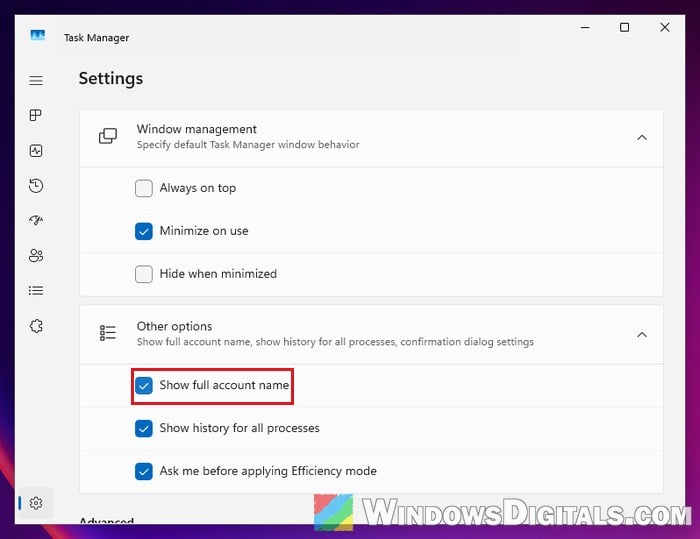
- Click “Users” in the left pane. Each row now shows the account’s name, followed by its sign-in name in brackets.
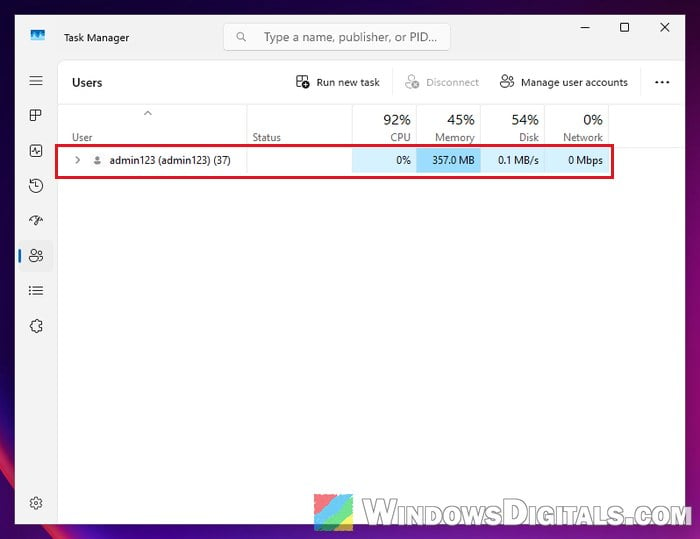
My test PC uses a local account, so it shows the same name twice. With a Microsoft account, the part in brackets should be the email address.
Pro tip: How to Change Administrator Email on Windows 11
Don’t try to end it
Since that row is your own session, ending it means closing everything you’re running, unsaved work included. One person who posted this exact problem on Reddit tried to end it, and their screen went black, followed by a blue screen.
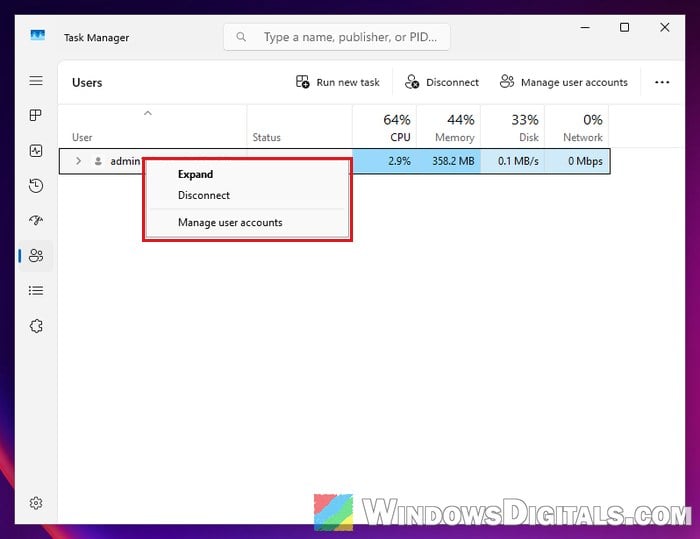
On Windows 11, right-clicking your own row gives you “Expand“, “Disconnect” and “Manage user accounts“. There’s no need to click “Disconnect” either. “Manage user accounts” is the useful one here.
How to check which account your PC signs in with
Before you assume the worst, find out which account Windows is really using. Here’s what you should check:
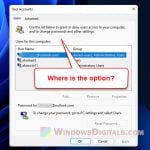
- In the Users tab, click “Manage user accounts“. This opens User Accounts in Control Panel, which shows your account’s name and type. If it says “Local account“, Windows doesn’t sign you in with an email address at all.
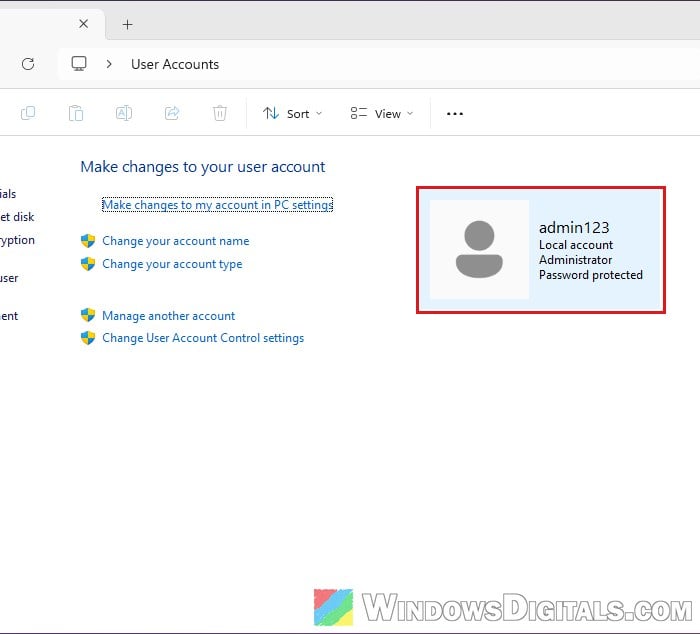
- Click “Manage another account” on the same page to see every account that exists on the PC. If there’s an account here you don’t know about, look into it.
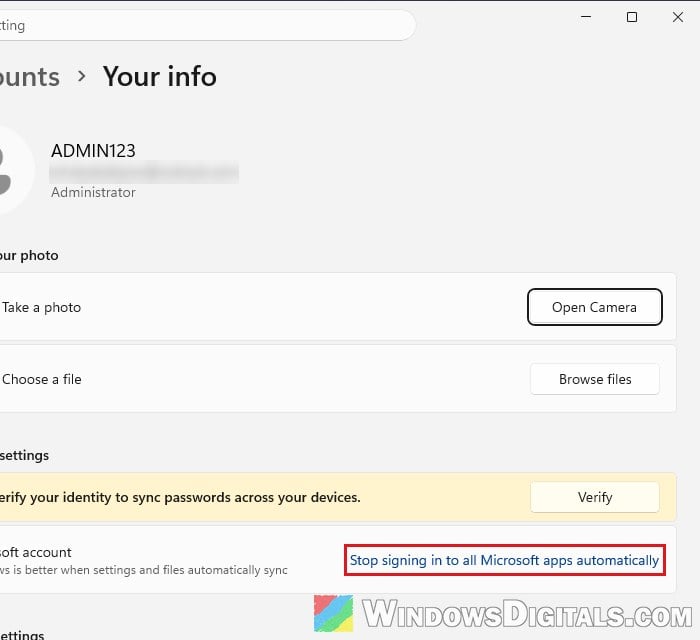
- Open Settings > Accounts > Your info. According to Microsoft, you’ll see “Sign in with a local account instead” only when Windows signs in with a Microsoft account, and “Sign in with a Microsoft account instead” only with a local account. An email under your name here doesn’t prove much: my test PC uses a local account, yet shows the email of a Microsoft account added for apps.
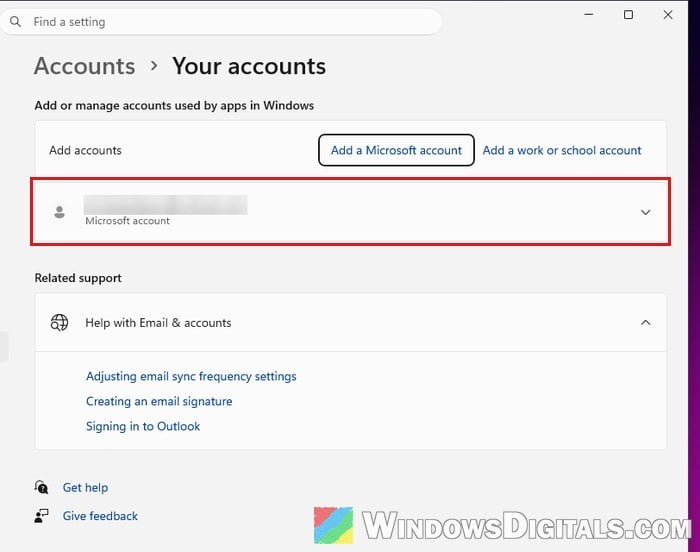
- Open Settings > Accounts > Your accounts to see the accounts your apps use. This is where an email on the Your info page often comes from; on my test PC, such an account didn’t show up in Task Manager’s Users tab.
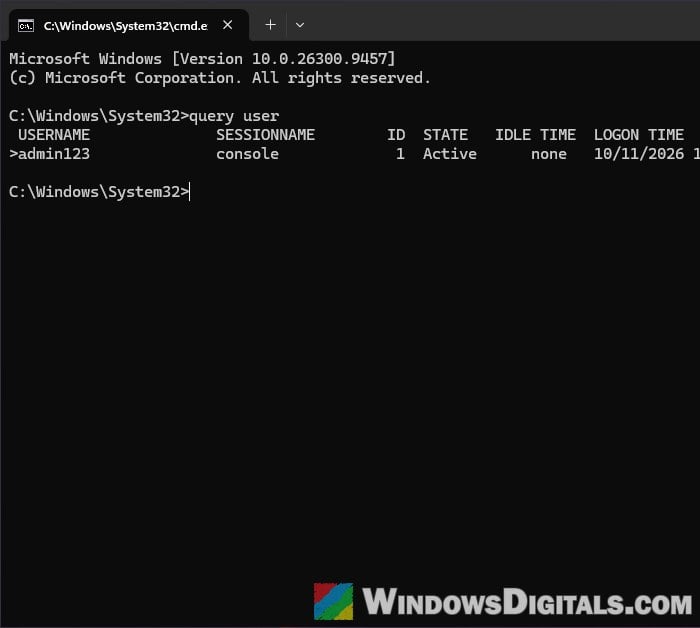
- For a quick list of everyone who is signed in right now, open Command Prompt and run the command below. If you’re the only person using the PC but there’s more than one row, look into it. (Tested on Windows 11 Pro; if your edition doesn’t recognize the command, skip it.)
query user
Related guide: How to Remove Microsoft Account From Windows 11/10
Why would someone else’s email be on your PC?
If your Windows account really is signed in with that email address, these are the usual reasons:
- Someone else set up the PC. A previous owner, the shop, a relative, or the company the laptop came from may have set up Windows with their own Microsoft account. This can happen with a second-hand computer, for example.
- It’s an old address of your own. An Outlook or Hotmail address you made years ago can still be the account Windows signs in with.
- Someone else has control of the PC. This is what the top answers on Reddit warned about: if nobody else ever set up or used the computer, someone may have gotten into it.
Suggested read: Windows 11 Account Unknown S-1-15-3 or S-1-5-21?
What should you do if it’s from whoever set up the PC?
In this case, your PC most likely isn’t hacked. Your Windows account is just still tied to someone else’s Microsoft account. To switch it to a local account you own:
- Open Settings > Accounts > Your info.
- Click “Sign in with a local account instead“.
- Enter a username, password and password hint, then click “Next“.
- Click “Sign out and finish“, then sign back in with the new local account.
If you’d rather use your own Microsoft account, go back to Your info afterward and click “Sign in with a Microsoft account instead“.
For a used computer, though, I would suggest resetting it instead, so nothing from the previous owner is left behind. Go to Settings > System > Recovery and click “Reset PC” next to “Reset this PC“, then choose “Remove everything“.
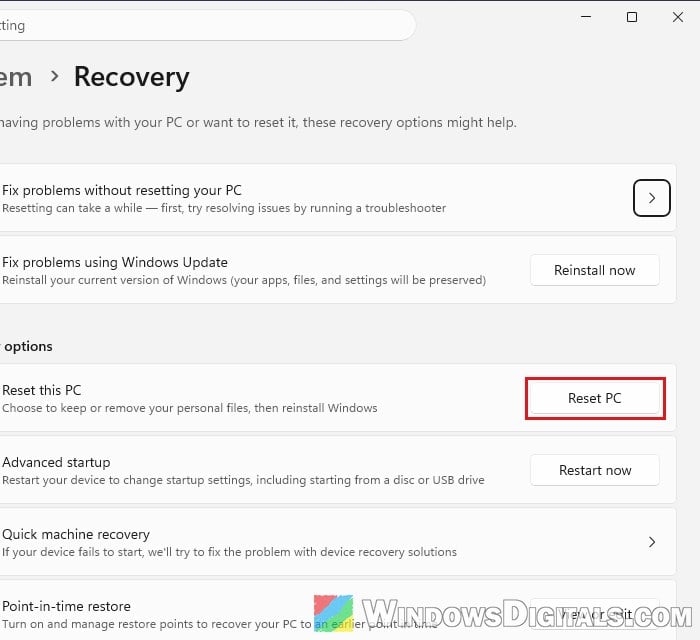
Please note that if the drive is encrypted with BitLocker, you’ll need the recovery key to reset the PC. Microsoft warns that when somebody else set up the device or turned on BitLocker, the key might be stored in that person’s Microsoft account. That person can find it at https://aka.ms/myrecoverykey, so get the key from them before you start the reset.
Might be useful: How to Reset Windows 11/10 to Factory Default
What if you can’t explain it at all?
If you set up the PC yourself, nobody else uses it, and the address still isn’t yours, treat it as a possible compromise, as the most upvoted answers on Reddit did:
- Disconnect the PC from the internet right away, Wi-Fi and cable both.
- Back up your personal files to an external drive. Just keep in mind that the backup could be infected too.
- Reset the PC with “Remove everything“, or do a clean install of Windows.
- Change your important passwords from another, clean device, not from the affected PC. For your own Microsoft account, Microsoft’s Recent activity page (
https://account.live.com/Activity) shows where and how it was signed in over the last 30 days.
If you’re not comfortable doing this yourself, get someone who knows computers to help before you reconnect the PC.