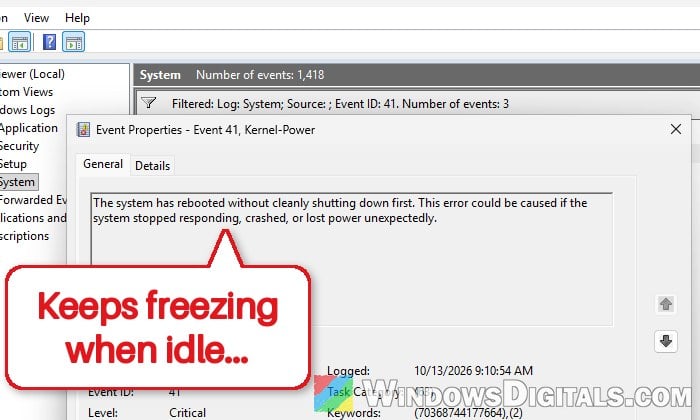
If your AMD Ryzen desktop freezes completely while it’s idle or doing something light, like browsing or sitting on the desktop, and only the power button gets it back, even though it can game for hours without a crash, it’s most likely a problem with how the CPU handles low-power idle states. There’s usually no blue screen, only a “Kernel-Power” error in Event Viewer afterwards. This guide will explain why it happens and what you can change to make it stop.
Also see: The system has rebooted without cleanly shutting down first
Page Contents
Why does a Ryzen PC freeze at idle but not under load?
When a Ryzen CPU has nothing to do, it drops its cores into deep idle states (C-states), where voltage and current fall very low. Some CPUs, motherboards or power supplies don’t handle that well, and the PC hangs when the load is lowest, or when it jumps from idle back to boost. That’s why a heavy game runs fine while an idle desktop doesn’t.
The most common reasons reported by Ryzen owners on Reddit and other forums are:
- The deepest idle state (C6) doesn’t sit well with that CPU, board or power supply.
- An undervolt that used to be stable no longer is. A negative Curve Optimizer offset can turn unstable after a few years, as the chip ages slightly.
- The BIOS is too old for the CPU. A new chip on a motherboard that shipped with an older BIOS can lack the right voltage settings for it.
- The power supply has trouble at very low loads.
- The CPU itself is starting to fail. It’s rarer, but it happens, usually on chips that have been running for years.
The fixes below start with the BIOS settings that are quickest to undo, and end with the hardware.
Check Event Viewer first
Before changing anything, check that this is really the same kind of freeze. After you force the PC off with the power button, Windows logs a Kernel-Power Event ID 41 the next time it starts.
- Press Win + X and select “Event Viewer“.
- Expand “Windows Logs” and select “System“.
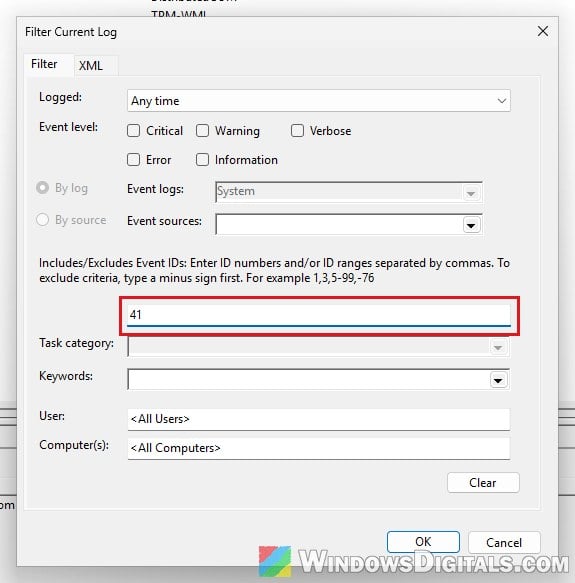
- Click “Filter Current Log…” on the right.
- Type “41” in the “Includes/Excludes Event IDs” box and click “OK“.
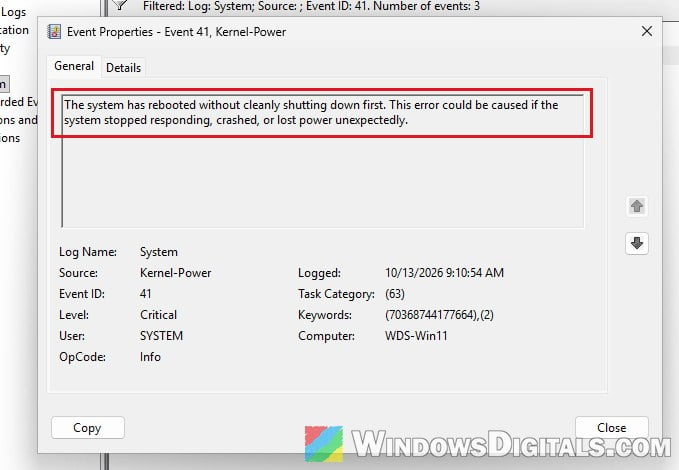
- Double-click the newest “Critical” event from Kernel-Power to open it.
- Open the “Details” tab and look at “BugcheckCode“.
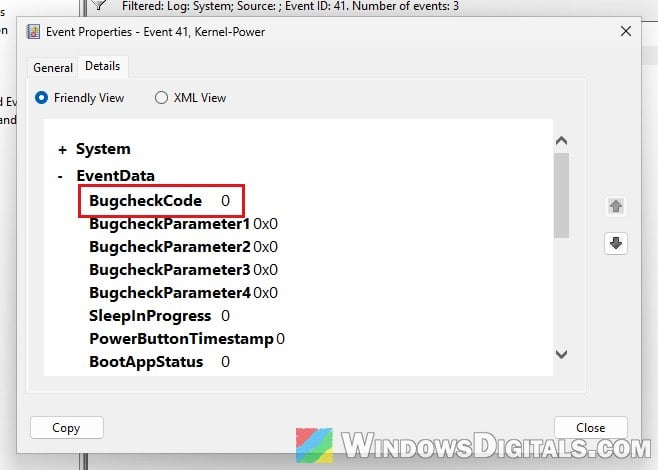
According to Microsoft, a BugcheckCode of 0 means Windows had no chance to record an error before the PC stopped. That usually points to a hardware-level hang or a power problem. A nonzero “PowerButtonTimestamp” only means you held the power button. If the BugcheckCode is anything other than 0, Windows did catch a crash, so the cause is likely something else.
Related concern: Does Faulty RAM Cause Freezes or Crashes on PC?
Remove any undervolt, PBO or memory overclock
Microsoft’s own advice for unexplained hangs with this event is to turn off overclocking first. On Ryzen, that includes Precision Boost Overdrive (PBO), a negative Curve Optimizer offset, and the memory’s EXPO or XMP profile.
A negative Curve Optimizer offset is a slight undervolt. It can be stable for years and then start causing crashes when going from idle to boost, because the chip now needs a bit more voltage than it gets. One 5950X owner fixed exactly this by simply removing the negative offset.
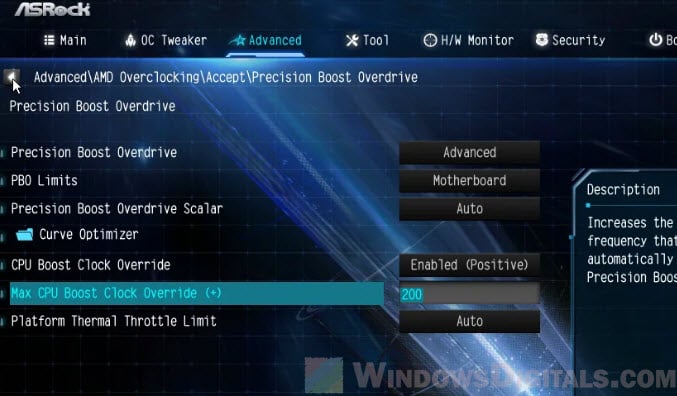
Load your BIOS’s default settings (or set PBO, Curve Optimizer and EXPO/XMP back to their defaults), then use the PC normally for a few days and check Event Viewer for new Kernel-Power 41 events. If the freezes stop, I’d suggest bringing your tuning back one setting at a time.
Related guide: Auto OC Ryzen 7000 or 5000 PBO2 (Curve Optimization)
Set “Power Supply Idle Control” to “Typical Current Idle”
Many Ryzen motherboards have a BIOS option called “Power Supply Idle Control“, often found in the “AMD CBS” section. Its “Low Current Idle” setting lets the CPU drop into its deepest idle state, while “Typical Current Idle” keeps the CPU out of it.
It’s one of the most often suggested fixes for Ryzen idle freezes. A Ryzen 9 9950X3D owner on an ASUS ROG board, for example, got a stable system after switching it to “Typical Current Idle” together with the next fix. Not every BIOS has this option, though, and where it sits depends on your board’s brand.
- Restart your PC and press the BIOS key (usually Del or F2) while it starts.
- Look for “Power Supply Idle Control“.
- Change it to “Typical Current Idle“.
- Save the changes and exit (usually F10).
Then use the PC normally for a few days and see if the idle freezes come back.
Disable “Global C-state Control”
If that doesn’t help, or your BIOS doesn’t have that option, you can turn off the CPU’s idle states completely with “Global C-state Control“. Quite a few Ryzen 5000 and 9000 owners reported that this is what finally stopped their idle freezes, including a 5900X owner whose PC had gone from one freeze a week to four a day.
- Enter the BIOS again.
- Find “Global C-state Control” and set it to “Disabled“.
- Save the changes and exit.
On some ASRock boards there’s a related “C6 Mode” setting under “CPU Configuration” instead. If the PC stays up through a few days of idling, the deep idle state was most likely the trigger.
Please note that with C-states off, your CPU uses more power at idle. Running it this way long term doesn’t seem to hurt the CPU, though. Still, if the freezes started suddenly after years of stable use, keep an eye on the CPU (last section).
Update your motherboard’s BIOS
A BIOS update can fix it too, especially on a new build. That’s most likely when the BIOS is older than the CPU itself: on a Ryzen 7 9850X3D with an ASUS board, for example, more than 20 hard freezes in 10 days stopped after flashing the latest BIOS. Newer BIOS versions come with newer AMD firmware (AGESA), which has the right voltage and idle settings for newer chips.
Go to your motherboard maker’s support page, find your exact board model, download the latest BIOS, and follow the maker’s instructions for flashing it.
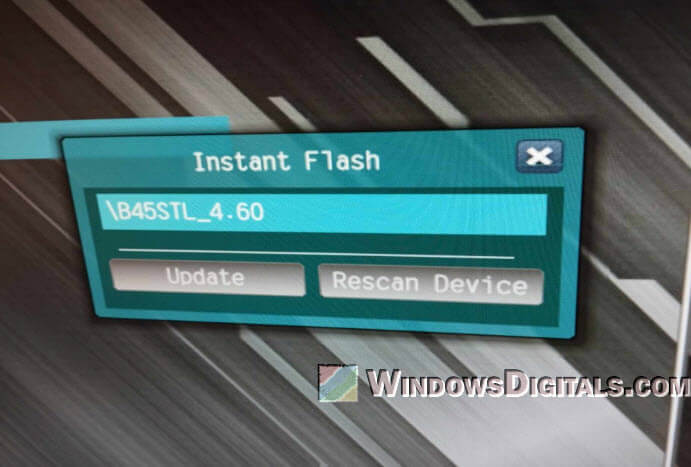
After the update, check Event Viewer again after a few days of normal use.
Be warned: A BIOS update that gets interrupted, for example by a power cut, can leave your motherboard unable to boot. If you’re not sure what you’re doing, it’s better to get someone to help you instead.
Rule out the power supply
Microsoft lists the power supply as a usual suspect when the Kernel-Power event has a bug check code of 0, so it’s worth ruling out if the BIOS settings didn’t help. Make sure your power supply has enough wattage for your CPU and graphics card, and if you have another good PSU (or can borrow one), try it for a few days and see whether the freezes stop.
Might be useful: How to Check Power Supply Wattage on Windows 11/10 PC
When the CPU itself might be failing
If none of the above holds, the CPU may be degrading. One Ryzen 7 5800X owner kept the freezes away for about two months with a workaround, but in the end only replacing the CPU fixed it.
If your CPU or PC is still under warranty, contact AMD or the seller for a replacement and mention that the system freezes at idle even with default BIOS settings and an updated BIOS.