Signing in on minecraft.net normally takes a few seconds: you click “Sign in with Microsoft“, enter your Microsoft account details, and land back on the site, ready to redeem a code, claim a cape or buy the game. If clicking it instead only loads for a moment (sometimes showing “Logged in, redirecting“) and then drops you right back on the login page, you’re not the only one. This guide will help you understand what could be causing it and how to get past it.
Also see: Lost Minecraft After Microsoft Account Was Deleted, What to do?
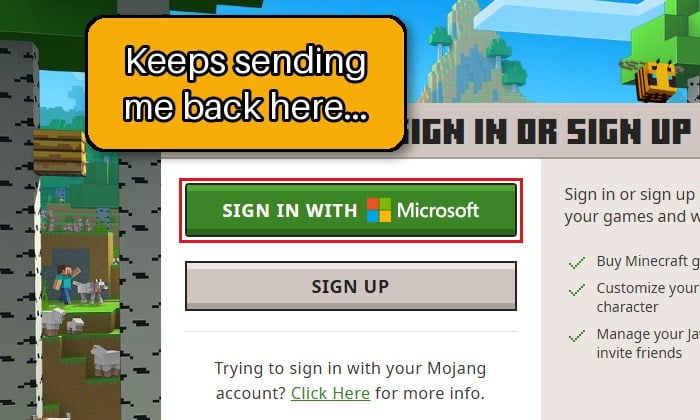
Why does minecraft.net keep sending you back to the login page?
Neither Mojang nor Microsoft has explained this loop officially, but it’s a pretty common issue that you’ll find discussed on Reddit, the Minecraft Forum and Microsoft’s own forums. Some common reasons for this issue are:
- A problem on Minecraft’s side. Reports often come in waves, with lots of people stuck at the same time on both PC and phone, and the loop then goes away by itself within about a day.
- Old cookies or site data in your browser, or a privacy or cookie-blocking extension that gets in the way of the sign-in.
- A wrong clock on your PC.
- A child account that’s waiting for a parent’s consent, which can look like another sign-in screen.
- Something wrong with the account itself, such as a temporary lock after too many sign-in attempts.
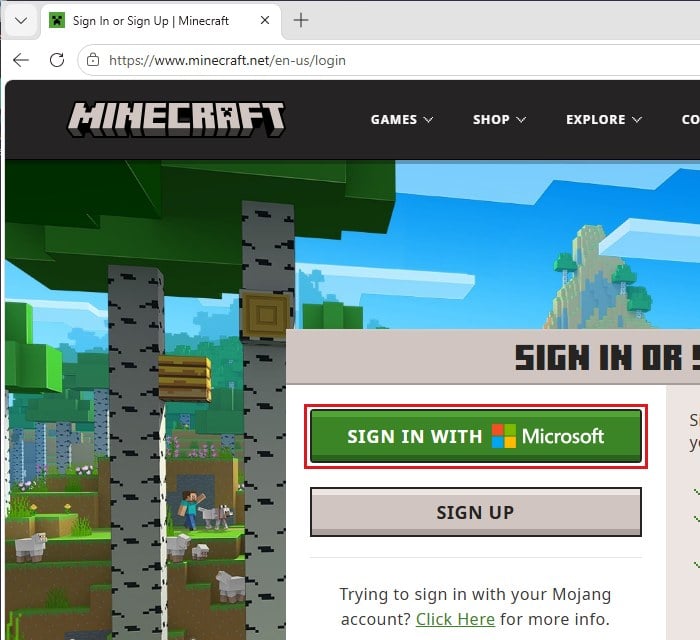
The odd part is that your Microsoft account usually still works fine on other Microsoft websites.
Check whether Minecraft’s sign-in is down, then wait
It’s not what you want to hear, but in a lot of cases nothing is wrong on your end. When it hits many people at once, clearing your cache or switching browsers won’t change anything, and it usually clears up on its own within about a day.
Before you start changing things, check whether others are having the same problem:
- Go to
https://support.xbox.com/en-US/xbox-live-status. Check the status at the top of the page and the services under it, starting with “Account & profile“.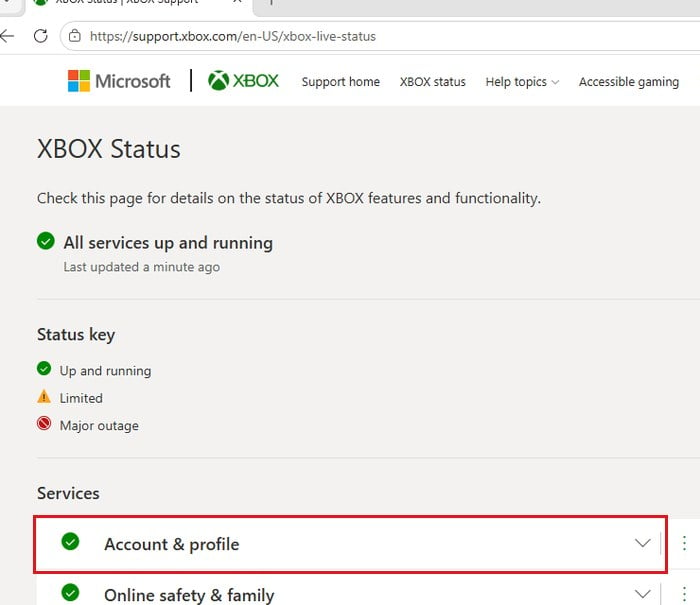
- Check Mojang’s official status account on X, @MojangStatus, which posts about outages and maintenance.
- If there’s a known problem, or lots of people are complaining about the same thing right now, leave it and try again later.
If both look fine, move on to the fixes below.
Sign in to your Microsoft account first, then open minecraft.net in a new tab
Sometimes minecraft.net seems unable to pick up your Microsoft sign-in. Signing in to your Microsoft account first, then opening minecraft.net, sometimes gets past that. It isn’t a sure fix, but it only takes a minute.
- Go to
https://account.microsoft.comand sign in with the Microsoft account that owns your Minecraft.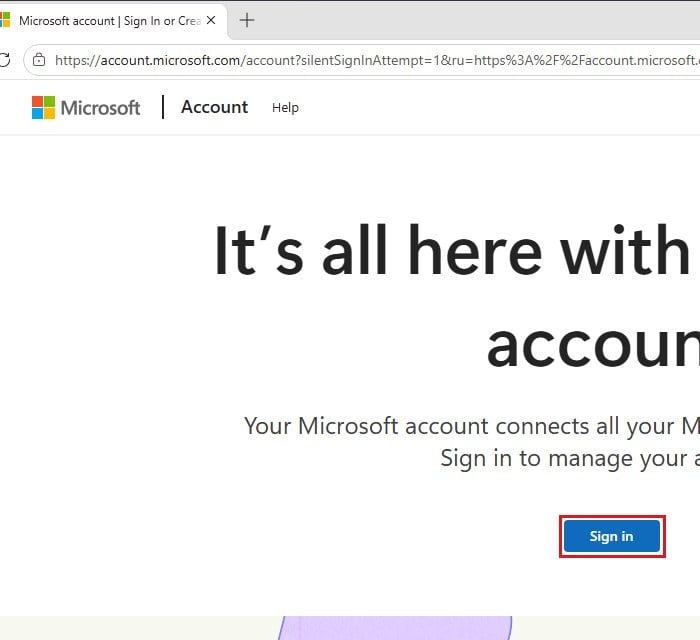
- Once you’re signed in, open a new tab and go to
https://www.minecraft.net. - Click “Sign in with Microsoft” again and see if it takes you to your profile this time.
Try a private window, then clear your cookies and cache
Old cookies or cached data can confuse the redirect between minecraft.net and Microsoft’s sign-in page. A private window (InPrivate in Edge, Incognito in Chrome) starts with none of that, so it’s a quick way to test whether your browser data is the problem.
- Close all your browser windows, then open your browser again.
- Open a new private window. In Edge, click the three-dots menu and select “New InPrivate window” (or press Ctrl + Shift + N).
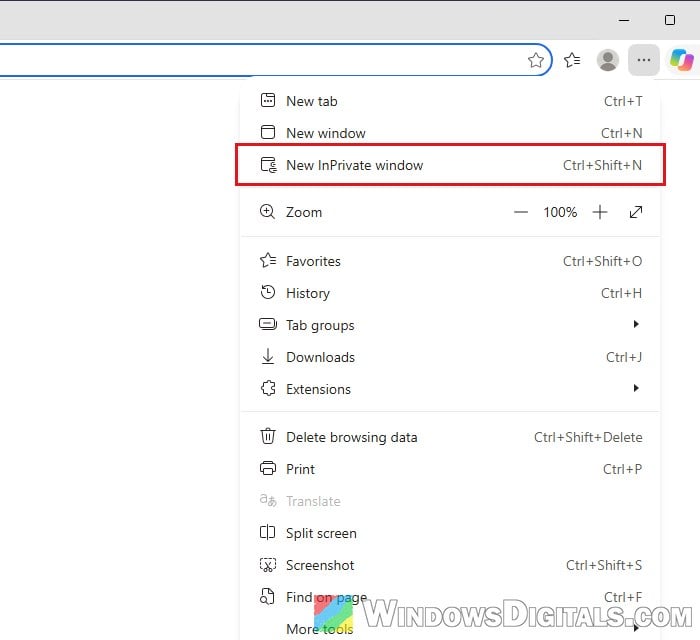
- Go to minecraft.net and try “Sign in with Microsoft” again.
If it loops in the private window too, your browser data probably isn’t the cause, so skip to the next fix. If it works there, clear your browser’s cookies and cache so it also works in a normal window. Please note that clearing cookies will sign you out of most websites, so make sure you know your passwords first. In Microsoft Edge:
- Click the three-dots menu at the top-right corner and select “Settings“.
- Select “Privacy, search, and services” on the left pane, then click “Clear browsing data“.
- Next to “Clear browsing data now“, click “Choose what to clear“.
- In the “Delete browsing data” window, set “Time range” to “All time“.
- Check “Cookies and other site data” and “Cached images and files“. Uncheck the others if you want to keep your browsing history.
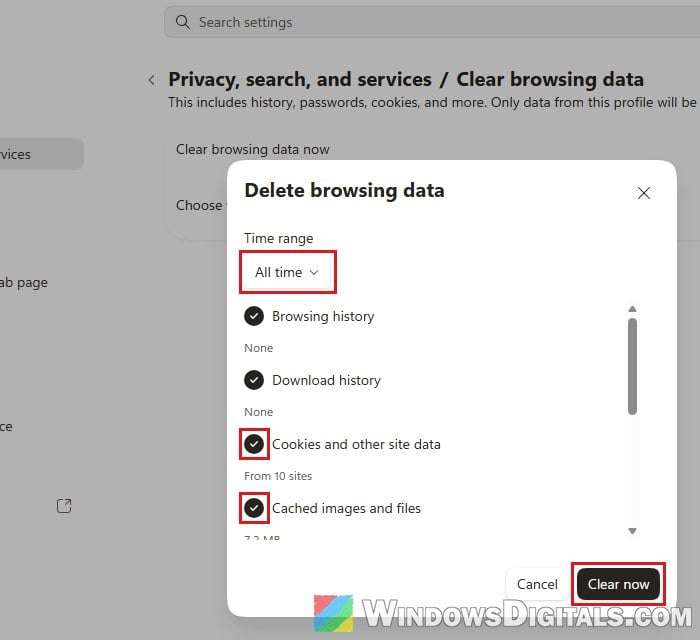
- Click “Clear now“, close and reopen Edge, and try signing in on minecraft.net again.
Pro tip: How to Clear Cookies in Windows 11
Turn off extensions, VPN and ad blockers, or try another browser
Privacy extensions, cookie blockers, ad blockers and VPNs can all interfere with the redirect that signs you in. Turn them off temporarily, restart the browser, and try again. If you’re still stuck, try a different browser to see if the problem follows you.
Don’t be surprised if it doesn’t help, though. For many people the loop happens in every browser, which usually points back to a problem on Minecraft’s side or with the account.
Make sure the clock on your PC is set automatically
Sign-ins rely on your PC’s clock being correct, so a wrong clock can cause odd sign-in problems. It’s a long shot for this exact loop, but it’s quick and safe to check.
- Open “Settings“.
- Go to “Time & language” > “Date & time“.
- Turn on “Set time automatically“, and also “Set time zone automatically” if you see it.
- Under “Additional settings“, click “Sync now“.
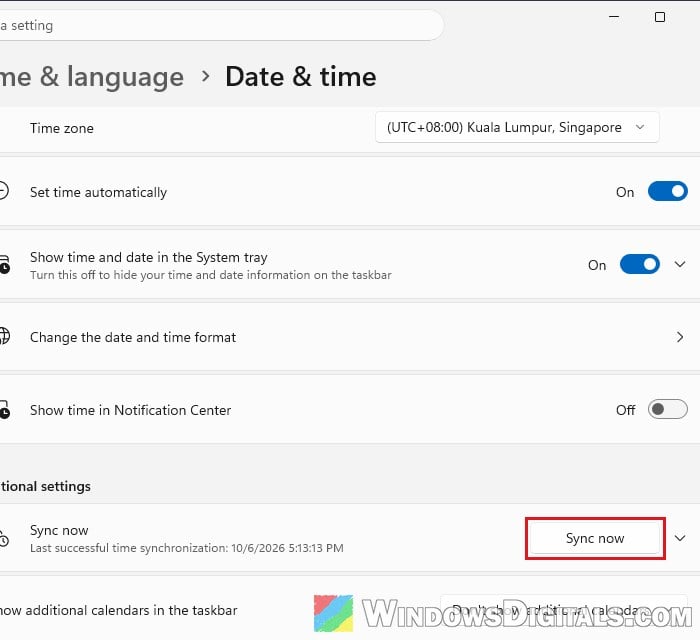
If the time zone option is grayed out, turning on location services in Windows should make it available. If it isn’t there at all, just make sure the “Time zone” shown on that page is right.
Linked issue: Date and Time is Always Wrong on Windows 10
Is it asking for a parent’s consent?
If the second screen you land on is a page about a parent or guardian, it isn’t a loop. It’s a parental consent request. Microsoft asks for this when the birth date on the account makes it a child account. According to Microsoft, that can happen even if you’re old enough, for example when the birth date on the account is wrong. In some regions, Microsoft also asks for consent again.
A parent or guardian then needs to sign in with their own adult Microsoft account when the consent screen appears, or approve it through the link in the consent request email. After that, go back to minecraft.net and sign in again. If the birth date is wrong, Microsoft’s page at https://support.microsoft.com/family-safety/managing-parental-consent points to a tool for correcting it.
Related concern: How to Leave a Microsoft Family Group as a Child Account
Try another device or network to see if it’s your account
If nothing above helped, find out where the problem actually is. Try signing in on minecraft.net on your phone, first on the same Wi-Fi and then on mobile data.
- It works on your phone on the same Wi-Fi: the problem is with your PC or browser. Go through the browser fixes again, or try another browser on the PC.
- It fails on your Wi-Fi but works on mobile data: your account or network may have been locked temporarily after too many sign-in attempts. Leave it alone for a few hours and try again.
- It fails everywhere, even on mobile data: the problem is with your account or on Minecraft’s side.
If it still fails everywhere after a day or so, and your Microsoft account works normally on other Microsoft websites, contact Minecraft Support and tell them what you were trying to do (redeem a code, buy the game, claim a cape).