If you open Word on a new laptop or after resetting your PC and see “Microsoft 365 Basic doesn’t include Word on your desktop“, with Word only letting you view and print your files, nothing on your PC is actually broken. The Basic plan has never included the desktop apps, even if Word seemed to work fine with it before. This guide explains what you’re really paying for, why Word may have worked earlier, and how to get back to editing your documents.
Also see: How to Install Microsoft 365 on a New or Second Computer
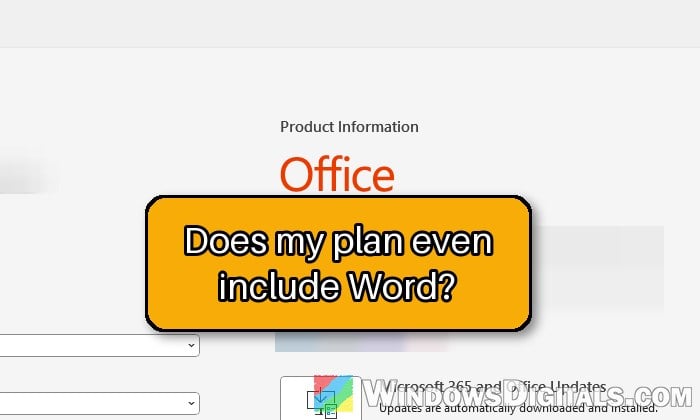
What does “Microsoft 365 Basic doesn’t include Word on your desktop” mean?
It means the Microsoft account signed in to Word only has the Basic plan, and that plan has no license for desktop Word. Word will still open your documents so you can read and print them, but you can’t create or edit anything in it. Basic doesn’t include desktop Excel or PowerPoint either.
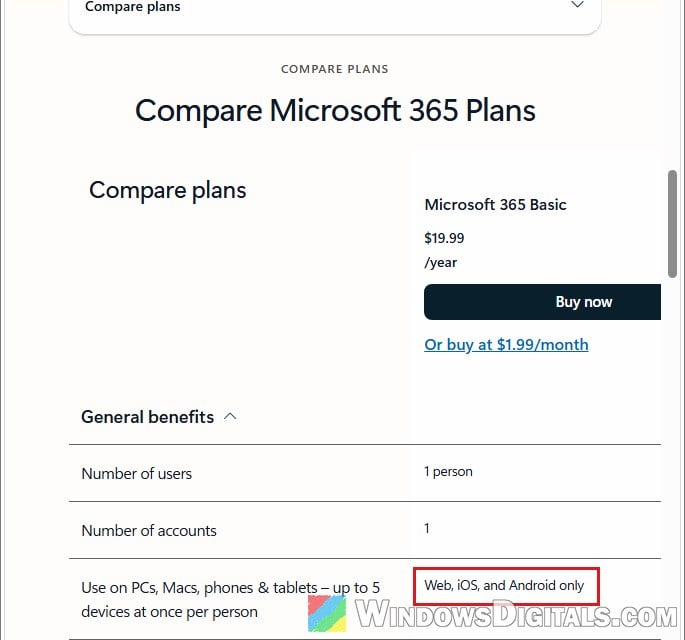
Microsoft’s own plan table lists Basic as “Web, iOS, and Android only“. The desktop apps for Windows and Mac come with Microsoft 365 Personal, Family and Premium (or a one-time purchase of Office).
What does Microsoft 365 Basic actually include?
Basic is really a storage and email plan for one person. Here’s what you get with it:
- 100 GB of cloud storage shared across OneDrive and Outlook
- Ad-free Outlook on the web and on mobile, with extra email security for Outlook.com and Hotmail addresses
- OneDrive extras, such as unlimited files in Personal Vault, password-protected sharing links, and files restore and ransomware recovery for up to 30 days
- Access to support experts for Microsoft 365 and Windows 11
The plan started out as OneDrive 100 GB and was renamed Microsoft 365 Basic in January 2023, so it sounds like a cheaper version of the full suite when it was never meant to be one. The web and mobile versions of Word are free for anyone with a Microsoft account, with or without Basic.
Related concern: Office 2021 Says Unlicensed or Expired After End of Support
Why did Word work before on your old PC?
Many users on Reddit report paying for Basic for years and only seeing this message after moving to a new laptop or resetting their PC. Since Basic never covered desktop Word, the old PC was most likely using a different license:
- A one-time purchase of Office (2016, 2019, 2021 and so on)
- A copy of Office that came with the PC, or a trial of it
- Another Microsoft account that was signed in to Word and had the license
A new PC or a fresh Windows install doesn’t bring that license with it, so Word falls back to Basic. Before you pay for anything, check the next two sections, since you might already own a copy.
Check if you already own Office on your account
If you bought Office with a Microsoft account, it should be listed on that account with an Install link. Here’s how to check:
- Go to
https://account.microsoft.com/servicesand sign in. - Look through your Subscriptions. A one-time purchase shows up under “Products you’ve purchased“.
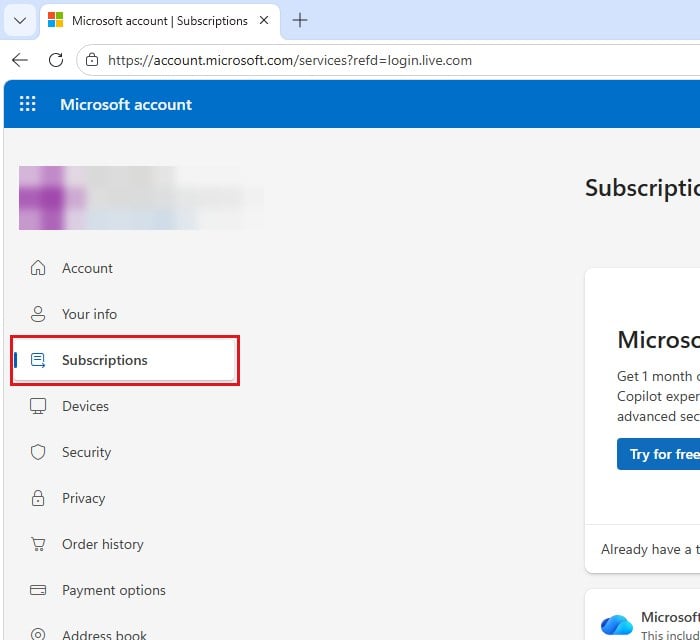
- If you find an Office product there, select Install and follow the prompts. Keep in mind that a one-time purchase like Office 2024 is for one computer.
If it’s not there, try signing in with your other personal email addresses too, since you may have bought Office with a different one. When you find the right account, switch Word over to it:
- In Word, go to File > Account. “Product Information” on the right shows which license Word is using.
- Select Sign out, then close Word.
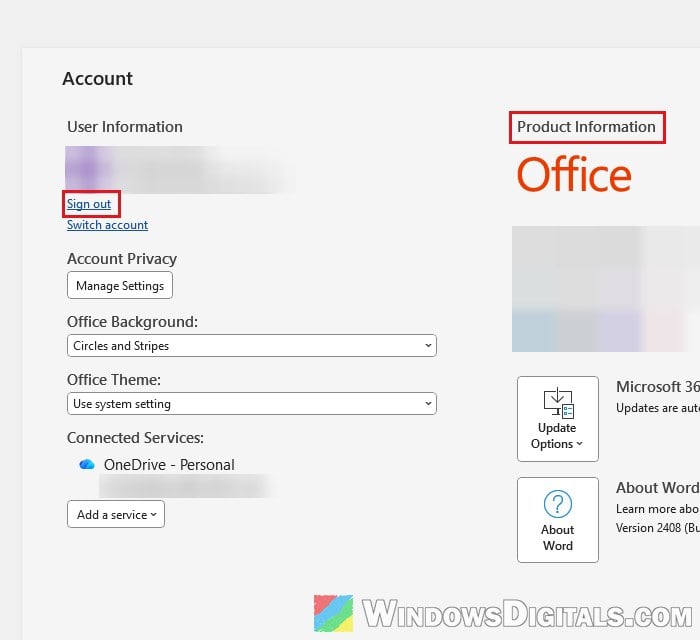
- Open Word again and sign in with the account that has Office.
Go back to File > Account and check that “Product Information” now shows your Office product.
Linked issue: OneDrive Signed In With the Wrong Account on Windows 11
Did your new PC come with Office?
Some new laptops come with a copy of Office that you have to claim first. It gets tied to the Microsoft account you’re signed in with, so make sure that’s the one you want to keep. If the box or the store listing said Office was included, check the Microsoft Store:
- Make sure Windows is activated (Settings > System > Activation) and that you’re online.
- Open the Microsoft Store and select Library.
- Open the Included with device tab.
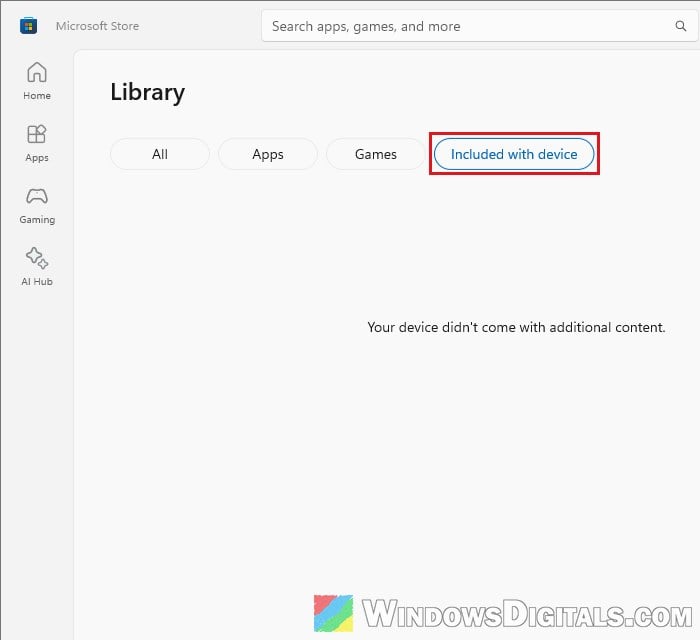
- If an Office product is listed, select Claim, wait for “Success!“, then select Done.
- Go to
https://account.microsoft.com/services, find it under “Products you’ve purchased” and select Install. - Start Word and follow the prompts.
Then check that “Product Information” under File > Account shows your Office product. If the Store says “Your device didn’t come with additional content” even though Office was supposed to come with the PC, contact the laptop’s manufacturer.
Keep using Word for free in your browser
If you only need to write and edit documents, you don’t have to pay for anything else. Word for the web is free and works right in your browser:
- Go to
https://word.cloud.microsoftand sign in with your Microsoft account. - Select Create blank document, open one of your recent files, or select Upload a file to bring in a document from your PC.
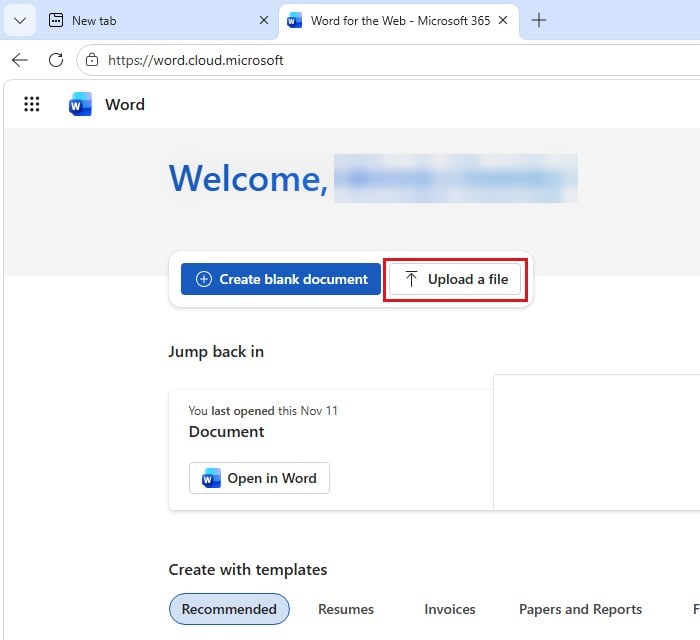
Your files need to be in OneDrive to work on them this way, which is where Basic’s 100 GB comes in handy. If you clicked through from the desktop app and ended up on a Copilot page instead, that’s just the Microsoft 365 home page. Use the address above to go straight to Word.
Please note that the web version is a cut-down Word, so some of the desktop app’s features won’t be there.
Might be useful: OneDrive Says Storage Is Full but Your Files Don’t Add Up
How to get the desktop version of Word
If you do need the real desktop app, you have two options.
Upgrade to a plan with the desktop apps
Buy Personal, Family or Premium using the same Microsoft account that has Basic. Your remaining days on Basic are converted and added to the new plan automatically, and you can then install the desktop apps on your PC or Mac. Don’t expect a day-for-day swap, though. Microsoft warns that the conversion can add less time than you had left on Basic.
If you bought Basic through Apple, Google or a retailer, you’ll need to switch plans through them instead.
Buy Office once
Office 2024 is a one-time purchase for one PC, with Word, Excel and PowerPoint, and no subscription to renew. It won’t upgrade to the next major version, but it makes sense if you just want Word and don’t want to keep paying every year.
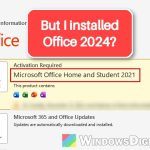
Pro tip: Installed Office 2024 but It Still Says Office 2021, What to do?
Should you keep paying for Basic?
Only if you want the extra storage or ad-free email, since Word for the web stays free either way.
Be warned: Without Basic, your account drops back to the free 5 GB. If you’re using more than that, your OneDrive files become read-only, Outlook.com can’t send or receive email, and after 6 months Microsoft might delete your OneDrive files.
If you’re fine with that, or you’ve cleared enough space, go to https://account.microsoft.com/services, find Basic under Subscriptions, select Manage, then Turn off recurring billing.