Steam normally shows every game in its store, R18+ ones included, but since September 2026, Australian accounts that aren’t age verified can’t open, search for or buy R18+ games like Cyberpunk 2077 or DOOM. The store shows “Valve is required by the Age-Restricted Material App Distribution Services Code to verify that you are 18 or older” and asks for a valid Australian credit card, and for a lot of people, their debit card is refused or Steam keeps asking for a card even after one was added. This guide will explain how Steam checks your age now and what you can do to get verified.
Also see: Discord Age Verification Not Working (Face Scan Fails or No Method Available)
Why does Steam keep asking for a credit card?
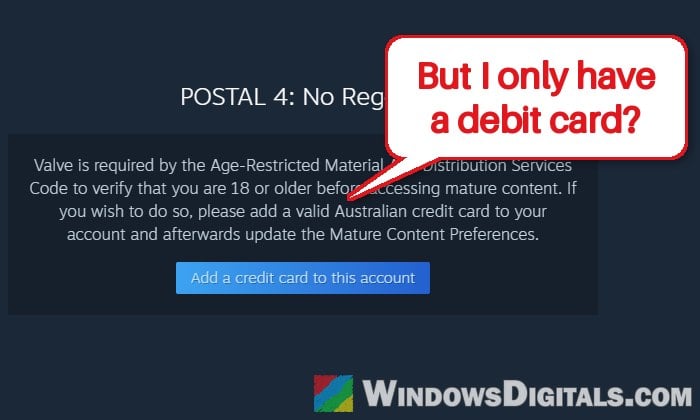
Australia’s online safety code for age-restricted material requires app stores like Steam to check that you’re 18 or older before showing you mature content. Steam does this through its payment system instead of asking for your ID or a face scan. In Australia, only adults can get a credit card, so a credit card stored on your account is how Steam knows you’re over 18.
Debit cards are where most people get stuck. Since they can be issued to people under 18, Steam says a debit card isn’t enough for age verification. That’s why the check fails for so many adults who simply don’t use credit cards, even with Steam accounts that are 15 or 20 years old.
The good news is that you don’t lose any games you already have. Steam’s help page says you can keep playing everything you’ve bought, and each account only needs to be verified once. It’s the store pages and community pages of R18+ games that stay locked until then.
Until early November 2026, a credit card was the only way. Valve has since added an automatic check based on how old your account is, and says it’s looking into other ways to verify.
Related problem: Unable to confirm payment method: Discord declines cards
Check if Steam has already verified your account
According to Steam’s help page for Australia, your account is now automatically treated as age verified if it’s at least nine years old and has had a consistent email address or billing information. This started rolling out around November 4 and 5, 2026, and on many older accounts, R18+ store pages opened again without adding any card.
There’s no “verified” badge, so open a game that was blocked before:
- In Steam, open the store page of an R18+ game you couldn’t open before, such as DOOM or Cyberpunk 2077 (from your wishlist, your library or a link).
- If the store page opens normally, your account is verified, and you don’t need to add a card.
- If you still see the age verification message, your account doesn’t meet the automatic check yet. Move on to the next section.
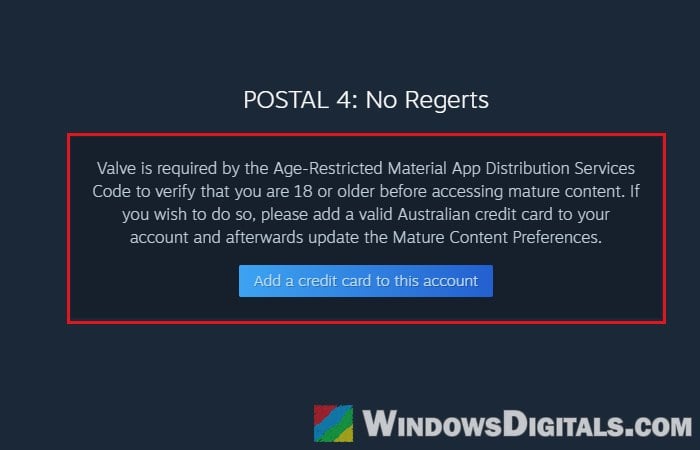
Please note that the “consistent” part trips up many old accounts. If you changed your email address or moved (and updated your billing address) at any point in the last nine years, the automatic check usually won’t pass, no matter how old the account is. It also rolled out gradually for some, and the community hubs of R18+ games may still be blocked after the store pages open.
Add a credit card to your Steam account
If your account doesn’t qualify for the automatic check, the official way is to add a credit card to it. According to Steam, you don’t have to buy anything with the card; it only needs to be saved on your account. Your bank might ask you to approve it with a one-time code or in its app.
The quickest way is the “Add a credit card to this account” button right under the age verification message on the blocked store page. If you don’t see it, here’s how to do it from your account:
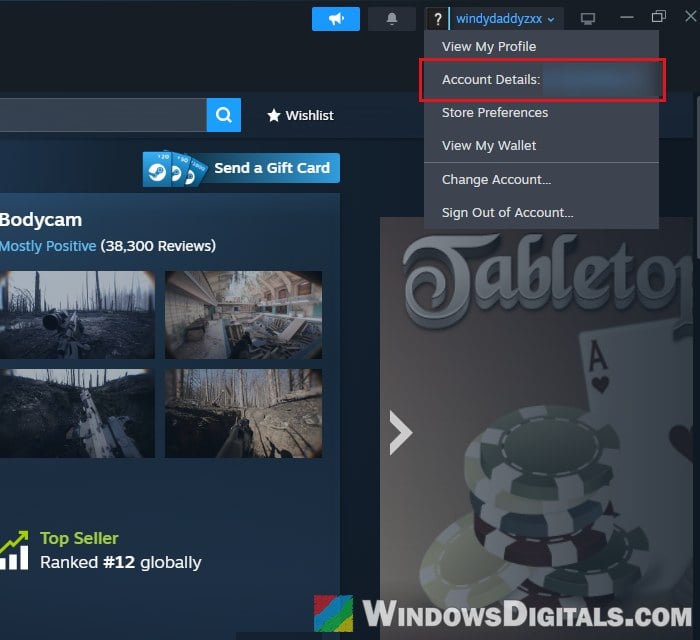
- In the Steam app, click your account name at the top right and select Account Details.
- Under Store & Purchase History, click “Add a payment method to this account“.
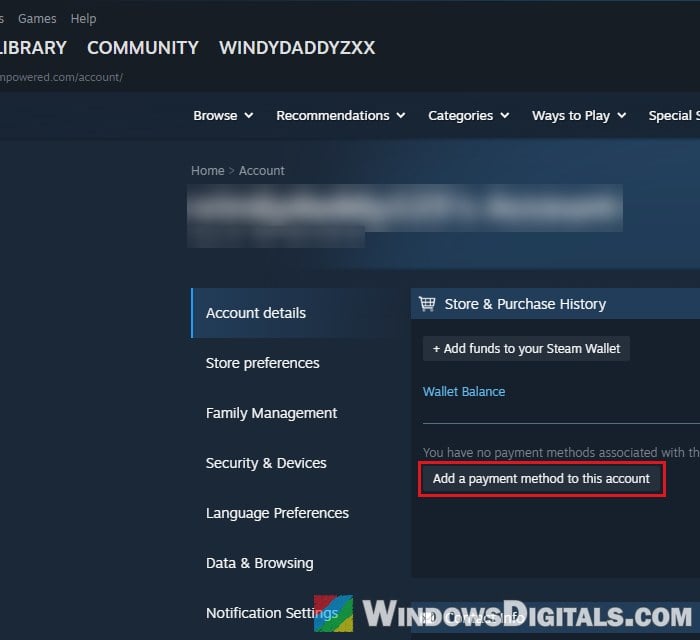
- Choose the card type, fill in the card details and your billing address, and approve the check if your bank asks you to.
- Once the card is saved, click Store preferences in the menu on the left of your account page (or select Store Preferences from your account name at the top right).
- Under Mature Content Filtering, tick the types of mature content you want to see in the Store column (and the Community column, if you want them there too).
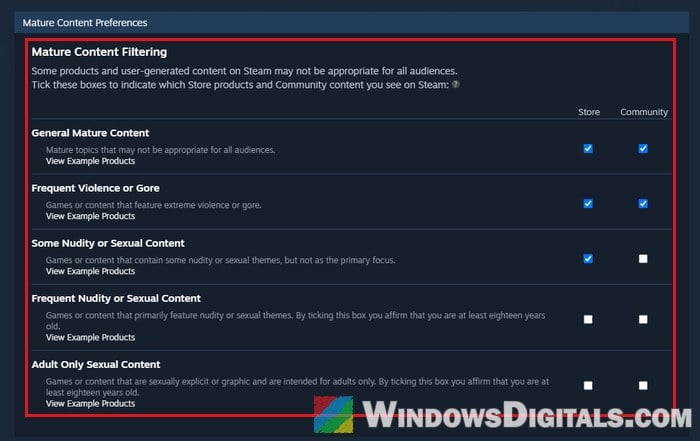
After that, open the R18+ game’s store page again to see if it works.
Note: Steam says an account only needs to be verified once. Still, a few people found that the check came back after they changed the payment method saved on their account, so if pages get blocked again later, adding the credit card back should sort it out.
Related guide: How to Hide AI Games on Steam (and Adult Games)
What if Steam won’t take your debit card?
Even though Steam says debit cards aren’t enough, some debit cards do pass. Going by what people have reported, the ones that usually work are Mastercard debit cards from certain banks, such as CommBank, Westpac, Macquarie and Bankwest. Visa debit cards rarely seem to work (ING, NAB, ANZ and UBank are among those that don’t), and neither does Up’s Mastercard.
So if you have a Mastercard debit card from one of those banks, it’s worth adding it the same way as a credit card in the previous section. If you get the age verification message again, or Steam keeps asking you to add a card in a loop, that card most likely isn’t accepted.
Otherwise, the only card Steam itself accepts is a credit card, even one you get from your bank just for the age check.
Use a Zip virtual card (it’s a form of credit)
Zip (Zip Pay), the buy now, pay later service, has also worked for many people. Its app gives you a digital card, and because it’s a line of credit that only adults can get (Zip checks your ID when you sign up), Steam accepts it like a credit card.
Add the Zip card to Steam the same way as the credit card steps above. Please be warned that Zip is still credit, so it’s money you owe once you spend it. If you only need it for the age check, it’s best not to use it for purchases at all.
Other things you can try
If nothing above works, there are two more things you can try:
- Buy the game’s key from another store. Several people say a Steam key bought from a store like Humble Store, Fanatical or Green Man Gaming can still be redeemed on Steam without the card check. Nobody has said they could actually play the game afterwards, and it may have stopped working, so try it with something cheap first.
- Contact Steam Support. If you have trouble adding a credit card, Steam’s help page tells you to open a Steam Support ticket. Valve also admits that not everyone in Australia can verify with the current options. So far, tickets from people without a credit card have mostly gotten a standard reply, though. Since Valve says it’s looking into other ways to verify, check the store page again now and then.