Windows 10

Windows 10 fixes and how-tos for error codes, failed updates, ESU enrollment, crashes, drivers and settings, with steps that are easy to follow.

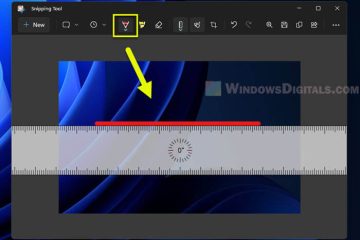
How to Draw a Straight Line in Snipping Tool
Windows 10

How to Draw a Straight Line in Snipping Tool

Snipping Tool is a simple screenshot tool that comes pre-installed in Windows 11 and Windows 10. Due to its simplicity, it lacks many of the abilities to edit screenshots after they have been [...]
By Nyau Wai Hoe, ago
The requested value cannot be determined Windows 11
Troubleshoot

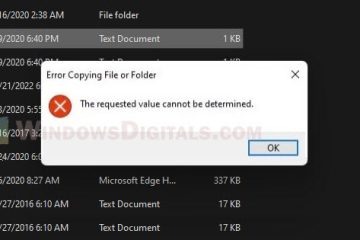
“The requested value cannot be determined” on Windows

When copying files or photos from your iPhone or Android phone to your Windows 11 or Windows 10 PC, you may sometimes see an error message stating, “Error copying file or folder – [...]

By Nyau Wai Hoe, ago
How to uninstall Bright Data in Taskbar
Troubleshoot

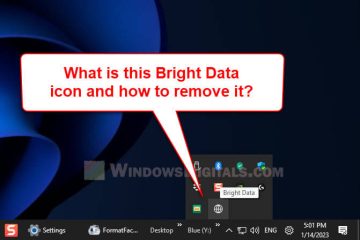
How to Remove Bright Data From The Taskbar

If you notice an icon called Bright Data on the taskbar in Windows 11 or Windows 10, and whether you exit the program or not, it automatically runs again when you start your PC, this guide will [...]

By Nyau Wai Hoe, ago
MD5 Checksum Windows 11
Windows 10

How to Verify MD5 or SHA256 Checksum in Windows 11

This guide shows you how to check the MD5 or SHA256 checksum (or other hashing algorithms) of any file in Windows 11 or Windows 10 using only Command Prompt or Windows Terminal. What is checksum [...]

By Nyau Wai Hoe, ago
Type backslash on UK keyboard
Windows 10

How to Type Backslash (\) on UK Keyboard in Windows

This guide will show you how to type the backslash key (also often known as the backward slash key) on a UK keyboard or other non-US keyboard (such as German, Swedish, French or Japanese) in [...]

By Nyau Wai Hoe, ago
How to type square or curly brackets on Windows 11 10
Windows 10

Type Square or Curly Brackets [ ] { } on Windows Keyboard

If you have trouble finding or typing the square brackets [ ] or curly brackets { } on a Windows keyboard, this guide will show you several alternative methods to type these characters in [...]

By Nyau Wai Hoe, ago
Snipping Tool History
Windows 10

How to Find Snipping Tool History in Windows 11 or 10

Snipping Tool has been a great addition to Windows and the preferred solution for many users to quickly take a screenshot of the entire screen or part of it. Previously, before Windows 11 and [...]

By Nyau Wai Hoe, ago
How to Print Screen Without PrintScreen Button
Laptop

How to Print Screen Without PrintScreen Button

If the printscreen key (PrtScn or PrtSc) on your keyboard is broken or if there is simply no printscreen button on your keyboard, you can use other keyboard shortcuts or screenshot apps to take [...]

By Nyau Wai Hoe, ago